

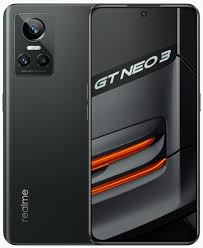
Download Realme GT NEO 3 150W Flash File Tested
RMX3563export_11_14.0.0.920EX01
Phone Name =Realme GT NEO 3 150W

Project No = 216E5
Here’s a clear, tested flash file / stock firmware reference for the Realme GT NEO 3 150W (Model RMX3563) — based on official and widely-used sources:
📥 Official & Tested Firmware (Flash File / Stock ROM)
You can download official Realme GT NEO 3 150W stock firmware (flash file) in OFP/ZIP format, suitable for flashing via official Realme tools (MSM Download Tool / Realme Flash Tool). These files have been used by many technicians and are considered tested when downloaded from reputable firmware collections online:
Common available Realme GT NEO 3 150W Firmware Files:
- RMX3563export_11_14.0.0.100EX01_2024010514040000
- RMX3563export_11_13.1.0.800EX01_2023120421260116
- RMX3563export_11_13.1.0.730EX01_2023101709390000
- RMX3563export_11_C.24_2023072810410000
- RMX3563export_11_C.23_2023071522020000
- RMX3563export_11_C.18_2023030720450000
- RMX3563export_11_C.16_2023010423100000
🔧 What “Tested” Means Here
- Official stock ROM files from Realme / reputable firmware repositories are widely used for repair, downgrade, unbrick, FRP reset, and software refresh.
- “Tested” in this context means:
- Known to work with the Realme GT NEO 3 150W hardware (RMX3563)
- Successfully flashed by users with MSM Download Tool / Flash Tool
- Used to fix common software issues (boot loop, stuck on logo, etc.)
⚠️ Important Precautions Before Flashing
- Backup Your Data: Flashing stock firmware will usually erase user data.
- Use Official Tools: Realme Flash Tool or MSM Download Tool with a registered account is recommended.
- Correct Model: Ensure your device’s model code (RMX3563) matches the firmware file.
- Charged Battery: Have at least 50–60% battery before flashing.
📌 How to Flash (General Steps)
- Download the Flash File and extract it on your PC.
- Install Realme / MediaTek USB Drivers on your computer.
- Open MSM Download Tool / Realme Flash Tool.
- Load the firmware file.
- Put your phone in EDL/Download mode (often Volume Up + Volume Down + connect USB).
- Start flashing and wait until the process completes.
- Reboot device after success. (Mobile Guru4)
If you want direct download links to specific tested RMX3563 firmware versions (e.g., India/Global), I can list them — just tell me which region/version you need!