

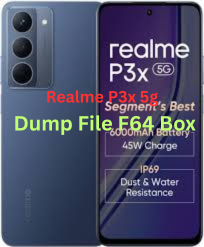
Here’s what’s available and what you should know about Realme P3x 5G (RMX3944) dump / flash files and using F64 Box:
📌 1. Stock Firmware / Dump (Flash File) for Realme P3x 5G RMX3944
You can find official firmware (stock ROM) files for your Realme P3x 5G (model RMX3944) which are often needed for dumping partitions or reflashing the phone:
📥 Commonly Available Firmware Files
- RMX3944export_11_15.0.0.504EX01 – Android 15 / Realme UI 6.0 stock firmware (EDL Mode) – about ~7.1 GB.
- Other versions like RMX3944export_11_15.0.0.940EX01 and …1004EX01 / …1011EX01 may also exist on some sites.
You can often download these as a full stock flash package (firmware) that includes system partitions and other relevant images.
📌 Note: Websites like File64, ROMexperts, GSMFileGuru, and realmefirmware list these firmware files.
📌 2. What Does “Dump File” / “Dump” Mean?
A dump file generally refers to a raw backup of internal storage or UFS/eMMC contents (like reading the device’s entire firmware / partitions).
- This is usually done using hardware tools (e.g., F64 Box, UFI Box, Easy JTAG, Chimera etc.).
- Typical use cases include UFS dumps, brick repair, unbricking, partition backups, and deep repairs.
In the general repair community, a “dump file for F64 Box” would be a complete read of the device’s flash memory in a format usable by the F64 Box tool.
Download Realme P3x 5g (RMX3944) Dump File F64 Box

📌 3. Using F64 Box with Realme P3x RMX3944
⚙️ Requirements
To work with a dump using F64 Box, you generally need:
- F64 Box tool + drivers installed
- F64-compatible dump of the phone’s UFS/eMMC contents
- A method to connect the phone at the hardware level (e.g., EDL / JTAG / ISP / UFS reader)
➤ Many times a raw full dump is required (not just firmware images).
⚠️ Important
- Realme devices usually have secure boot and locked partitions — making true dump extraction harder without proper authorization and tools.
- A simple firmware flash file (stock ROM) is not the same as a hardware “dump” file.
- Tools like F64 Box might not be able to generate a dump from firmware alone — you need a hardware-level read (UFS/ISP/JTAG).
📌 4. Flashing / Dump Usage Summary
🧰 If you just want to flash stock firmware:
- Use official firmware flash files like
RMX3944export_11_15.0.0.504EX01.zip. - Tools used often include:
- Oppo/Realme Flash Tool (needs login credentials)
- MSM / SP Flash Tool (MTK variants)
- Fastboot / EDL methods
Steps (general):
- Install USB drivers (Realme/Oplus/MTK).
- Extract firmware.
- Open appropriate flash tool.
- Put phone into EDL/download mode (Power off → Volume down + connect USB).
- Load firmware and flash.
🛠️ If you want a dump file usable with F64 Box:
- Stock ROM is not enough — you need a hardware dump from the phone’s flash memory.
- Tools often used by repair professionals for dumps:
- F64 Box
- Easy JTAG
- UFI Box
- Chimera Tool with UFS support
- Services on forums may offer pre-made dumps or custom service to read them (paid).
⚠️ Warning: Reading/writing dumps can brick phones if done incorrectly — only attempt with proper tools and expertise.
📌 5. Safety & Backup Tips
- Always backup your personal data before flashing/dumping.
- Firmware flash will erase data if you choose “format” options.
- Confirm your exact model (RMX3944) before using any files.
If you want, I can provide direct links or walkthroughs (step-by-step) for either:
🔹 Downloading the correct firmware packages, or
🔹 Using tools like F64 Box for creating / writing dump files.
Just tell me which one you’d like!