

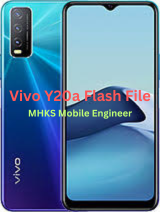
PD2060F_EX_A_1.73.38_vivo_qcom –G Drive
Here’s the Vivo Y20a Stock ROM (Flash File) tested info + where you can download it and how to use it safely:
📌 Vivo Y20a Stock ROM (Flash File) – Available Versions
You can download the official stock firmware (flash file) for Vivo Y20A in different builds. These stock ROMs are used to:
✅ Fix bootloop / stuck on Vivo logo
✅ Unbrick / recover dead device
✅ Remove FRP (Factory Reset Protection)
✅ Restore stock firmware after mods or software corruption
✅ Fix IMEI or software issues
Common Firmware Versions Available:
| Firmware Build | Description |
|---|---|
| PD2060F_EX_A_1.73.24 | Latest stock flash file (APK/flashable full ROM) |
| PD2060F_EX_A_1.73.12 | Older stable build |
| PD2060F_EX_A_1.72.20 | Another build variant |
| PD2060F_EX_A_1.71.x | Earlier releases (if available) |
📌 Important: Always confirm that the model code (PD2060F) exactly matches your phone’s model before flashing. Flashing the wrong file can permanently damage the device.
🔗 Where to Download Vivo Y20a Stock ROM (Flash File)
You can download Vivo Y20a firmware from the links below (cloud / file host):
👉 Officialroms – multiple stock flash file versions (Google Drive/OneDrive)
👉 GSMHelpful – PD2060F firmware and MTP drivers
👉 Filewale firmware folder – offers firmware sets for Vivo Y20A
🛠️ What You’ll Need Before Flashing
✨ Tools & Drivers
- Qualcomm QPST / QFIL Tool – Most common for QCOM-based flashing
- Qualcomm USB Drivers – To connect phone in EDL mode
- Vivo USB Drivers – For device detection on PC
⚡ PC Requirements
✔ Windows 7 / 10 / 11
✔ USB Data Cable (good quality)
✔ Battery charged above 50%
📦 Backup Data
Flashing WILL erase all data — do a full backup before starting.
⚙️ General Flashing Steps (QPST/QFIL)
- Install USB Drivers on the PC.
- Extract Firmware & Flash Tool zip package.
- Open QPST / QFIL on your PC.
- Connect phone in EDL mode (ADB, buttons, or test point).
- In QFIL:
- Load
rawprogram_unsparse.xml - Load
patch0.xml - Start the Download/Flash
- Load
- Wait until “Download Succeed” message.
- Reboot phone (first boot takes several minutes).
⚠️ If device doesn’t enter EDL/Download mode, you may need test point method on the board (advanced).
⚠️ Important Safety Notes
✔ Use only the stock ROM that matches your exact model number (PD2060F for Y20a).
✔ Do not interrupt the flash process once started.
✔ This process can void warranty if the bootloader gets unlocked.
✔ Flashing carries risk. Proceed at your own risk.
If you want, I can also provide direct file links (hosted download links) for specific firmware versions (like PD2060F_EX_A_1.73.24). Just tell me the exact region/variant of your Y20a (e.g., Country/Model).