

TMT Temp Root Tool Free Download 2026 | ADB Temp Root & FRP Tool
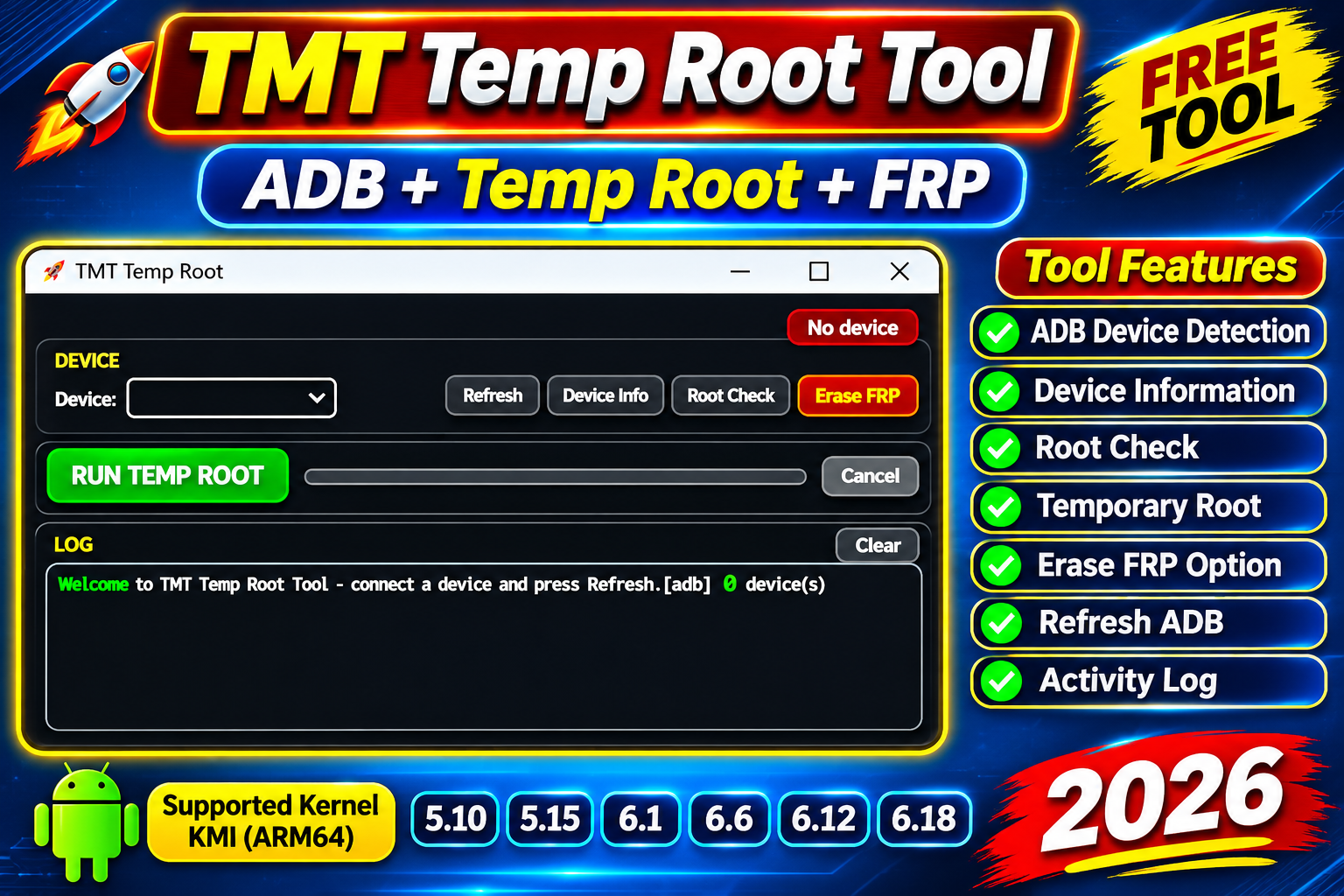
Looking for the TMT Temp Root Tool Free Download 2026? TMT ADB Temp Root Tool is a Windows-based utility designed for Android mobile servicing. It provides useful ADB-based options such as device detection, device information, root status checking and temporary root functionality.
This tool can be useful for mobile repairing technicians who work with Android smartphones and need ADB-based servicing features.
TMT Temp Root Tool Features
Here are some of the main features available in the TMT Temp Root Tool:
- ADB Device Detection: Detect connected Android devices through ADB.
- Device Information: Check connected device information.
- Root Check: Check the current root status of your Android device.
- Temporary Root: Includes a temporary root operation option for compatible devices.
- Erase FRP Option: Includes an FRP servicing option for authorized device servicing.
- Refresh ADB: Refresh the connected device list.
- Activity Log: View tool operation messages and device connection status.
- Progress Bar: Monitor the operation progress.
Supported Android Kernel KMI Versions
The available tool information lists these ARM64 kernel KMI versions:
- Kernel KMI 5.10
- Kernel KMI 5.15
- Kernel KMI 6.1
- Kernel KMI 6.6
- Kernel KMI 6.12
- Kernel KMI 6.18
Note: Kernel compatibility does not guarantee that every Android smartphone will support temporary root.
TMT Temp Root Tool Requirements
Before using the tool, check the following requirements:
- Windows PC or Laptop.
- USB data cable.
- Compatible Android smartphone.
- ADB drivers installed on your computer.
- USB Debugging enabled where supported.
- Authorized ADB connection.
- Compatible ARM64 kernel.
How to Check Your Android Device with ADB
- Download the tool package from a trusted source.
- Extract the ZIP file.
- Open the TMT Temp Root Tool.
- Connect your Android device to the PC.
- Authorize the ADB connection on your device.
- Click the Refresh option.
- Select the connected device.
- Check Device Info and Root Check.
Only use servicing and FRP-related functions on devices you own or are authorized to repair. For account verification, use the device manufacturer’s official recovery process.
TMT Temp Root Tool Information
| Details | Information |
|---|---|
| Tool Name | TMT Temp Root Tool |
| Tool Type | Android ADB Utility |
| Platform | Windows |
| Connection | USB / ADB |
| Architecture | ARM64 |
| Root Type | Temporary Root |
| License | Check original distribution |
| Version | Check official release |
Download TMT Temp Root Tool Free Download 2026

Frequently Asked Questions (FAQ)
1. What is TMT Temp Root Tool?
TMT Temp Root Tool is an Android servicing utility that provides ADB device detection, device information, root checking and temporary root options.
2. Is TMT Temp Root Tool free?
Check the original developer’s distribution page for the current license and download conditions.
3. Does TMT Temp Root Tool support Android devices?
It is designed for compatible Android devices. Actual support depends on device architecture, kernel and security configuration.
4. Which kernel versions are supported?
The listed ARM64 kernel KMI versions are 5.10, 5.15, 6.1, 6.6, 6.12 and 6.18.
5. Does this tool have an FRP option?
The reported interface includes an Erase FRP option. Availability and compatibility may vary by device.
Conclusion
TMT Temp Root Tool is an interesting ADB-based Android servicing utility for mobile repairing technicians. Its device information, root check, ADB connection and temporary root options make it worth exploring on compatible devices.
Visit MS Mobile Institute for more Android tools, mobile repairing updates, firmware, flash files, ISP pinouts and software servicing tutorials.
Website: https://msmobileinstitute.com