Home Blog Page 30

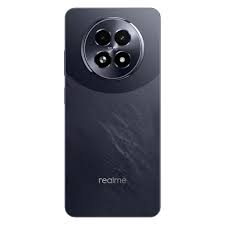
Realme P1 5G RMX3870 Flash File (Stock ROM)

Download  Realme P1 5G  RMX3870 Flash File Firmware from Ms mobile. With this file you can unlock device Screen lock Pattern, FRP and can upgrade or downgrade the device. Always use latest flash file to flash Realme P1 5G check device version by dial code *#899# in emergency dial. download the file with direct download link given below and read all flashing instructions before flashing the phone.

Download Realme P1 5G RMX3870 Flash File Firmware:

Here are several reliable sources where you can download the official Realme P1 5G (RMX3870) flash files (firmware/stock ROM), along with detailed guides to help you flash your device safely:


🔹 Official Realme/Premium Community Firmware

  • Realme Firmware offers the latest Android 14 – Realme UI 5.0 build:
    • Version: 14.0.0.509EX01
    • Size: ~6.8 GB
    • Release Date: November 1, 2024
    • Mode: EDL (Emergency Download)


🛠️ Flashing Preparation & Guide

  1. Download the appropriate firmware .zip (match your required version).
  2. Extract it to get:
    • The scatter file or .ofp
    • Flashing tool (SP Flash Tool / Oplus/Mi/ Oppo Tool)
    • USB/VCOM drivers
    • Readme or manual
  3. Install USB drivers on your PC (Mediatek/VCOM).
  4. Set up SP Flash or Oplus/Fastboot Tool.
  5. Boot your phone into EDL mode:
    • Power off → hold Volume Up + Volume Down while plugging into PC.
  6. Load firmware & DA/scatter file in the tool.
  7. Execute the flash (Download or Start All).
  8. Reboot once flashing completes successfully.

🧩 Which Version Should You Choose?

  • Want the latest stable (Nov 2024): go with version 14.0.0.509EX01 from Realme Firmware.
  • Prefer the very latest experimental/test builds: consider 15.0.0.600EX01 from ROMexperts (Apr 2025).
  • For a reliable older stable: 14.0.0.502EX01 (GSMMAFIAS, GSMYogesh, OppoStockRom).

✅ Download Links

  • 🔗 Official Realme: v14.0.0.509EX01 (~6.8 GB)
  • 🔗 ROMexperts: multiple builds including latest 15.0.0.600EX01

🧭 Troubleshooting Tips

  • Use correct flash tool: SP Flash Tool (works with MediaTek) or Oplus Flash Tool if scatter uses .ofp format.
  • Ensure phone enters EDL mode (PC should detect VCOM/Qualcomm USB port).
  • Have proper authorized credentials if the tool prompts – some require login.
  • If flashing fails, check driver installation and reconsider using a different firmware version.

If you need a direct link to a specific build or help flashing, feel free to let me know!

Oppo A3x 5G CPH2681 FLASH FILE (Stock ROM) tested

Download  Oppo A3x 5G

 CPH2641, CPH2681, CPH2693 Mediatek Dimensity 7050 (6 nm) Flash File From Ms mobile. This file is based on Latest ColorOS and used for flash and unlock your device fix pattern lock, FRP and other problems like hang on logo, brick after software update or in any experiment , fix hanging issue and other software related issues.

Download Oppo A3x 5G CPH2641 CPH2681 CPH2693 Flash File Firmware:

CPH2681export_11_15.0.0.900EX01
phoneName = OPPO A3x 5G
projectno = 24231
CPH2681export_11_15.0.0.602EX01_2025032811150000
Phone Name = OPPO A3x 5G
Project No = 24231

Here’s a concise guide with reliable sources for downloading and flashing the Oppo A3x 5G stock firmware (flash files):


📥 1. Download the Official Flash File

Depending on your device variant (model number), here are trusted firmware sources:

  • CPH2693, CPH2641, CPH2681 variants — multiple firmware versions available from GSMMafia (latest versions become available early 2025): includes stock ROMs for pattern‑lock removal, FRP bypass, unbricking, etc.
  • CPH2681 specific — ROMProvider offers version CPH2681export_11_14.0.1.1002EX01.zip (Global)
  • CPH2641 variant — large stock ROM packages (~10–12 GB) for QFIL flash available via OppoStockROM

Choose your model (check under Settings → About phone) and select the matching firmware.


⚙️ 2. Required Tools & Drivers

  • Flashing tool
    • For MediaTek-based models (Dimensity 6300): use SP Flash Tool (also called Smartphone Flash Tool)
    • For Qualcomm-based models (if applicable): use QFIL (Qualcomm Flash Image Loader)
  • USB Drivers
    • MediaTek (MTK) or Qualcomm (QFIL) USB drivers must be installed for your PC to detect the phone.

🔧 3. Flashing Steps (Using SP Flash Tool for MTK devices)

  1. Backup all data; flashing will erase it.
  2. Extract the downloaded firmware ZIP.
  3. Install the required USB drivers.
  4. Launch SP Flash Tool.
  5. Load the scatter file from the extracted folder.
  6. Choose “Download” mode (or “Firmware Upgrade” for full wipe).
  7. Power off your phone, then connect via USB (holding Volume Up + Down).
  8. Click Download to start flashing.
  9. Once the process finishes, disconnect and power on the device.

For Qualcomm/QFIL, open QFIL, load the .xml firmware file from the extracted package, and proceed similarly.


⚠️ 4. Important Notes & Precautions

  • Always match firmware to your exact model number (e.g., CPH2681 vs. CPH2641).
  • Choose the latest version for bug fixes and Android 14 features.
  • Flashing incorrectly can brick your device—proceed with care.
  • In case of boot loader or authentication errors, you might need MSM Download Tool (Oppo’s proprietary tool) or credentials. Most sites mention this and may require contacting them.

✅ Recommended Firmware Versions

  • CPH2681CPH2681export_11_14.0.1.1002EX01.zip (global stock ROM)
  • CPH2641Oppo_A3X_CPH2641_EX_11_14.0.1.829EX01 (~10 GB) via QFIL

Use SP Flash Tool or QFIL depending on CPU (MediaTek vs. Qualcomm). Ensure you have scatter or XML files from the package, and install matching drivers.


If you’d like, I can also walk you through each flashing step in detail or troubleshoot common issues. Just let me know your Oppo A3x 5G variant!

Oppo Reno 8T 5G CPH2505 Flash File (Stock ROM) tested

Download  Oppo Reno 8T 5G  CPH2505 Flash File Firmware from Ms mobile .With this file you can unlock device Screen lock Pattern, FRP and can upgrade or downgrade the device. Always use latest flash file to flash Oppo Reno 8T 5G check device version by dial code *#899# in emergency dial. download the file with direct download link given below and read all flashing instructions before flashing the phone

Download Oppo Reno 8T 5G CPH2505 Flash File Firmware:

Here are several reliable sources where you can download official stock firmware (flash files) for the Oppo Reno 8T 5G (CPH2505):


🔧 Flash File Resources

1. GSMMAFIA

Includes multiple firmware versions and instructions:

  • Versions:
    • CPH2505export_11_14.0.0.910EX01_2024070812540091
    • …_A.04_20230226…
    • …_A.01_20221228… (password: wPfbD!7Of*Gk)
  • QCOM/MTK drivers, MSM Download Tool guidance

2. RKDDEVIL

Latest known version:

  • CPH2505export_11_14.0.0.700EX01_20240430… (password: 2505@20#!)
  • Includes OPPO Flash Tool

3. OppoStockROM.com

Offers large full ROM packages:

  • …A.01_221228_QPST.zip (~25 GB)
  • …14.0.0.310EX01_240319_QFIL.zip (~10.7 GB)
  • Includes QPST/QFIL tools + step‑by‑step flash guide

4. GetDroidTips

Provides QFIL tool support and detailed flashing methods:

  • Flash guide via MSM Download Tool, QFIL, or Recovery

5. ROMProvider / AZROM

Older OFP formats:

  • Versions A.02 through A.05, including A.01 of 2022
  • MSM Tool requires an authorized Oppo account

📋 Step‑by‑Step Flashing Guide

  1. Identify your firmware version
    Dial *#899# → check Software Version to match the ROM
  2. Choose the right firmware
    Select the latest one you have (e.g. April, July 2024 builds) for best compatibility.
  3. Download firmware + flash tool + drivers
    Most packages include USB drivers and the flashing tool required (QPST, QFIL, or MSM Download Tool).
  4. Install necessary USB drivers
    Use Qualcomm USB drivers to ensure proper PC‑device connection
  5. Flash the ROM
    • Extract firmware and launch the flash tool.
    • For MSM Download Tool: hold Volume Up + Down, connect to PC.
    • Or use QFIL/QPST and follow tool prompts
  6. Wait for flashing to complete, then reboot.
    Full ROM flash will purge data—backup before proceeding.

⚠️ Important Warnings

  • Use the correct version—flashing a mismatched file can lead to boot issues.
  • MSM Download Tool may require Oppo authentication; some sources mention login needed
  • Large flash files (~10–25 GB) need stable internet and ample PC storage.

🧰 Summary Table


✅ Next Steps

  1. Pick the firmware matching your device’s build.
  2. Download from one of the above sources.
  3. Install USB drivers.
  4. Flash with the provided tool following the guide.
  5. Reboot and verify system functionality.

Let me know if you’d like direct download links, help choosing the right version, or guidance with a specific flash method!

Oppo A79 5G CPH2553 Flash File (Stock ROM) tested

Download  Oppo A79 5G  CPH2553 Flash File Firmware from Ms mobile. With this file you can unlock device Screen lock Pattern, FRP and can upgrade or downgrade the device. Always use latest flash file to flash Oppo A79 5G check device version by dial code *#899# in emergency dial. download the file with direct download link given below and read all flashing instructions before flashing the phone

Download Oppo A79 5G CPH2553 Flash File Firmware:

CPH2553export_11_15.0.0.502EX01_2025021313140000
Phone Name = OPPO A79 5G
Project No = 22331

Here are reliable sources to download the Oppo A79 5G (CPH2553) flash (stock ROM) files:


✅ Free & Verified Flash Files


🔧 Things You’ll Need

  1. Correct flash file matching your exact model (check via *#899# → Model).
  2. SP Flash Tool (or Oplus/MSM Download Tool).
  3. MediaTek CPU drivers installed on your PC.
  4. USB cable & at least 70% battery.
  5. Backup your data, as flashing erases everything.

Most sites mention login is required in the flash tool—usually provided by service centers or paid accounts.


🛠️ Flashing Guide Overview

  1. Download and extract the firmware package.
  2. Install MediaTek (or Oppo-specific) USB drivers.
  3. Launch SP/Oplus/MSM Flash Tool.
  4. Load scatter file from the extracted ROM.
  5. Switch off your phone, press Volume Up + Volume Down, connect via USB.
  6. In Flash Tool, click Start/Download to begin flashing.
  7. Wait for completion and reboot.

⚠️ Important Warnings

  • Flashing can brick your device. Proceed only if confident.
  • Use correct ROM version (regional/build specific).
  • Many Flash tools require authorized login credentials—you may need to reach out to service providers.

👨‍🔧 Community Insight

Flash tool login restrictions are common. As one repair technician notes, “Oppo phones often block fastboot on CPH models,” meaning you’ll rely on MTK tools and authorized credentials.


🔗 Quick Links by Source

  • GSMMafia (latest builds + guide)
  • File64 (free latest build)
  • ROMExperts (with tools/controllers)
  • Flash‑File.net (5 GB, official bundle)

Would you like direct download links for one of these builds? I can guide you step-by-step through flashing, if you’d like.

Realme 10 Pro+ RMX3686 Flash File (Stock ROM) tested

Download  Realme 10 Pro+  RMX3686 Flash File from Ms mobile. With this file you can unlock device Screen lock Pattern, FRP and can upgrade or downgrade the device. Always use latest flash file to flash Realme 10 Pro+ check device version by dial code *#899# in emergency dial. download the file with direct download link given below and read all flashing instructions before flashing the phone.

DOWNLOAD Realme 10 Pro+ RMX3686 Flash File :

RMX3686export_11_14.0.0.918EX01_2025020718300224
Phone Name = Realme 10 Pro+ 5G
Project No = 22694

Here’s a comprehensive look at the Realme 10 Pro+ (RMX3686):


📱 Specifications & Features

  • Release date: November 17, 2022; available from Nov 24 2022
  • Dimensions / Weight: ~161.5 × 73.9 × 7.8 mm; 172–175 g
  • Build: Gorilla Glass front (double-reinforced), plastic frame/back
  • Processor: MediaTek Dimensity 1080 (6 nm) – Octa-core Cortex-A78/A55, Mali‑G68 MC4 GPU
  • Memory/Storage: 6 GB/8 GB LPDDR4X + 128 GB UFS 2.2 or up to 12 GB/256 GB; no microSD slot
  • Cameras:
    • Rear: 108 MP main, 8 MP ultrawide, 2 MP macro. 4K@30 fps video capture
    • Front: 16 MP selfie, 1080p@30 fps
  • Battery: 5000 mAh with 67 W SuperVOOC fast charging (~50% in 17 min)
  • Connectivity: 5G, Wi‑Fi 6, Bluetooth 5.2, NFC (region-dependent), USB‑C 2.0; no headphone jack, no FM radio
  • Sensors: In-display fingerprint, accelerometer, gyro, proximity, compass; no official IP rating
  • Software: Android 13 with Realme UI 4.0; Realme UI 6.0 beta rolling out in 2025

👍 Pros & 👎 Cons

👍 Strengths

  • Stunning curved AMOLED display with high refresh & touch rates
  • Sleek, eye-catching design—especially “Hyperspace” glitter finish
  • Strong battery life with fast charging (67 W)
  • Decent performance for daily use and casual gaming
  • Solid main camera quality (without OIS)

👎 Drawbacks

  • Plastic back/frame, no splash/water protection
  • No 3.5 mm headphone jack or expandable storage
  • No OIS; 4K video stabilization less effective
  • Some users report ads and bloatware in Realme UI

🗣️ User Feedback from Reddit


🤔 Should You Buy It?

  • Yes, if you value:
    • A premium-looking, curved high-refresh display
    • Great battery life and extremely fast charging
    • Solid main camera performance
  • Maybe not, if you need:
    • Water resistance
    • A more capable ultrawide/macro camera
    • A headphone jack or storage expansion
    • Minimal bloatware and a cleaner UI

🛒 Purchase Options

Below are some current online listings for the Realme 10 Pro +:

Realme 10 Pro + 5G

Top‑rated mid‑ranger

₹14,999

Realme 10 Pro+ 5G (India)

Prime Indian variant

₹24,999


Final Take

For users in Patna or elsewhere in India looking for a stylish, fast-charging, and smooth daily driver, the Realme 10 Pro+ offers excellent value—especially if you don’t mind skipping OIS, a headphone jack, or expandable storage.

Prices tend to hover around ₹24–25K for 8 GB/128 GB models, while deals (~₹15K) make it a bargain starting point. Let me know if you’re curious about comparisons (e.g., with Redmi K50i, Poco X5 Pro) or deeper camera performance, durability, or UI experience—I’m here to help!

Oppo Find X8 Pro CPH2659 Flash File (Stock ROM) tested

Download  Oppo Find X8 Pro CPH2659 Mediatek Dimensity 9400 Flash File From Ms mobile. This file is based on Latest

 ColorOS and used for flash and unlock your device fix pattern lock, FRP and other problems like hang on logo, brick after software update or in any experiment, fix hanging issue and other software related issues.

Download Oppo Find X8 Pro CPH2659 Flash File Firmware:

CPH2659GDPR_11_15.0.0.820EX01_2025042701100000
Phone Name = OPPO Find X8 Pro
Project No = 23216
CPH2659export_11_15.0.0.820EX01_2025042701090147
Phone Name = OPPO Find X8 Pro
Project No = 23216

Here are several reliable sources where you can download the stock/official flash (firmware) file for Oppo Find X8 Pro CPH2659, along with a guided flashing process:


📥 Available Firmware Versions

  1. CPH2659export_11_15.0.0.205EX01_2024101801380000
    • ~19 GB full service ROM (supports recovery): available on platforms like ROMProvider, AndroidGreek, UnofficialTWRP
  2. CPH2659export_11_15.0.0.504EX01_20250211… – (~7–8 GB) Google–friendly GDPR export ROM
  3. CPH2659export_11_15.0.0.506EX01… – (~20 GB) “All‑File” stock ROM from azROM
  4. CPH2659_15.0.0.820(EX01) – Indian official “card‑flash” package (~7.1 GB), suitable for local sideloading via recovery

🛠️ Flashing Essentials

  • Download USB drivers and the required Oplus/SP/MediaTek flash tool (specific to your firmware). Links are included on most of the above sites
  • Make sure your phone has 50‑60% battery to avoid interruptions
  • Backup important data—flashing wipes everything

⚙️ Step‑by‑Step Flashing Guide

  1. Download and extract the firmware package on your PC.
  2. Install the USB drivers.
  3. Open the flash tool (e.g., Oplus Service Tool or SP Flash Tool).
  4. Import or load the firmware folder in the tool.
  5. In the tool, hit START/Download.
  6. Wait until the process finishes, then the phone will reboot.
  7. Once up, set it up again. If needed, you can sideload OTA using recovery

💡 Choosing the Right File

  • Want full service ROM? → Go with .205EX01 (~19 GB) or .506EX01 (~20 GB).
  • Prefer a smaller, Google‑optimized version? → Use .504EX01 GDPR ROM (~8 GB).
  • Flashing via recovery without a PC? → Try the Indian .820(EX01) card‑flash package.

⚠️ Important Notes and Warnings

  • Ensure version & region match: CPH2659 only.
  • Flashing wrong firmware can brick your phone—double-check before proceeding
  • Flashing will wipe all data and may void warranty.
  • For certain tools you’ll need valid service account login credentials .
  • Some ROMs (e.g., Chinese variants) might contain bloatware or region‑locked features

🧩 What You Should Do Next

  • Decide which firmware suits your needs (service ROM vs global vs Indian recovery package).
  • Download the selected flash file (links available on the sources above).
  • Gather drivers and a compatible flash tool.
  • Perform a full backup, then follow the flashing guide above.

Let me know if you’d like direct download links or need help during any step!

Realme 14T 5G RMX5078 Flash File (Stock ROM) TESTED

Download  Realme 14T 5G

 RMX5078 Flash File Firmware from Ms mobile
Here’s a complete overview of the Realme 14T 5G (RMX5078):

🔍 Key Specifications
Launch Date: Announced 25 April 2025 in India
Display: 6.67″ FHD+ AMOLED, 120 Hz refresh, up to 2,100 nits peak brightness, 180 Hz touch sampling, 111% DCI‑P3, TÜV certified
Processor: MediaTek Dimensity 6300 (6 nm), 2×2.4 GHz Cortex‑A76 + 6×2.0 GHz Cortex‑A55, Mali‑G57 MC2 GPU
Memory: Options include 8 GB or 12 GB RAM; 128 GB or 256 GB UFS 2.2 storage with dynamic RAM support up to +10 GB
Battery & Charging: 6,000 mAh battery (rated ~5,860 mAh) with 45 W SuperVOOC fast charging—50% in ~30 minutes
Cameras:
Rear: 50 MP main (f/1.8, OmniVision OV50D40) + 2 MP depth sensor with EIS
Front: 16 MP (Sony IMX480), 1080p video
Build & Durability: Slim (7.97 mm), light (196 g), glass front + plastic back. Dust/water resistance certified at IP66/68/69 (water jets, immersion up to 2.5 m)
Software: Ships with Realme UI 6 on Android 15; promised 2 years OS + 3 years security updates
Connectivity & Audio: 5G, Wi‑Fi 5, Bluetooth 5.3, stereo speakers with Ultra Volume Mode, USB‑C (no headphone jack), in-display fingerprint
Other Features: No ultra-wide camera, lacks 3.5 mm audio jack and NFC (India), hybrid SIM slot, vapor chamber cooling (VC), dual-view video, underwater photo mode
💰 Price & Availability
India: ₹17,999 (8+128 GB), ₹19,999 (8+256 GB) on Flipkart and Realme Store
Global: ~€249–299 depending on region
Colors: Lightning Purple, Obsidian Black, Surf Green

👍 Pros & 👎 Cons
Pros
Bright, smooth AMOLED display with 2100 nit peak brightness
Huge 6,000 mAh battery + fast 45 W charging
Solid performance for everyday use and mid-tier gaming
Premium IP69 water/dust resistance
Cons
No ultra-wide camera
Note: some early units had software bloat & occasional lag
Low-light camera and selfie performance is just average
No headphone jack; India version lacks NFC

🏁 Verdict
The Realme 14T 5G excels in display quality, battery life, and durability. It’s a strong pick in the mid-range segment if those are your top priorities. If you want better camera versatility, especially ultra-wide shots, other models might be more suitable.

Need help comparing it to other models, checking its availability in Patna, or exploring where to buy? Just ask!. With this file you can unlock device Screen lock Pattern, FRP and can upgrade or downgrade the device. Always use latest flash file to flash Realme 14T 5G check device version by dial code *#899# in emergency dial. download the file with direct download link given below and read all flashing instructions before flashing the phone.

Download Realme 14T 5G RMX5078 Flash File Firmware:

dateks.lv/en/cenas/viedt...

Here’s a complete overview of the Realme 14T 5G (RMX5078):


🔍 Key Specifications

  • Launch Date: Announced 25 April 2025 in India
  • Display: 6.67″ FHD+ AMOLED, 120 Hz refresh, up to 2,100 nits peak brightness, 180 Hz touch sampling, 111% DCI‑P3, TÜV certified
  • Processor: MediaTek Dimensity 6300 (6 nm), 2×2.4 GHz Cortex‑A76 + 6×2.0 GHz Cortex‑A55, Mali‑G57 MC2 GPU
  • Memory: Options include 8 GB or 12 GB RAM; 128 GB or 256 GB UFS 2.2 storage with dynamic RAM support up to +10 GB
  • Battery & Charging: 6,000 mAh battery (rated ~5,860 mAh) with 45 W SuperVOOC fast charging—50% in ~30 minutes
  • Cameras:
    • Rear: 50 MP main (f/1.8, OmniVision OV50D40) + 2 MP depth sensor with EIS
    • Front: 16 MP (Sony IMX480), 1080p video
  • Build & Durability: Slim (7.97 mm), light (196 g), glass front + plastic back. Dust/water resistance certified at IP66/68/69 (water jets, immersion up to 2.5 m)
  • Software: Ships with Realme UI 6 on Android 15; promised 2 years OS + 3 years security updates
  • Connectivity & Audio: 5G, Wi‑Fi 5, Bluetooth 5.3, stereo speakers with Ultra Volume Mode, USB‑C (no headphone jack), in-display fingerprint
  • Other Features: No ultra-wide camera, lacks 3.5 mm audio jack and NFC (India), hybrid SIM slot, vapor chamber cooling (VC), dual-view video, underwater photo mode

💰 Price & Availability

  • India: ₹17,999 (8+128 GB), ₹19,999 (8+256 GB) on Flipkart and Realme Store

👍 Pros & 👎 Cons

Pros

  • Bright, smooth AMOLED display with 2100 nit peak brightness
  • Huge 6,000 mAh battery + fast 45 W charging
  • Solid performance for everyday use and mid-tier gaming
  • Premium IP69 water/dust resistance

Cons

  • No ultra-wide camera
  • Note: some early units had software bloat & occasional lag
  • Low-light camera and selfie performance is just average
  • No headphone jack; India version lacks NFC

🏁 Verdict

The Realme 14T 5G excels in display quality, battery life, and durability. It’s a strong pick in the mid-range segment if those are your top priorities. If you want better camera versatility, especially ultra-wide shots, other models might be more suitable.


Need help comparing it to other models, checking its availability in Patna, or exploring where to buy? Just ask!

OnePlus Nord CE 3 5G CPH2569 Flash File (Stock ROM) tested

Download  OnePlus Nord CE 3 5G

 CPH2569 Qualcomm Snapdragon 782G (6 nm) Flash File From Ms mobile. This file is based on Oxygen OS 13 and used for flash and unlock your device fix pattern lock, FRP and other problems like hang on logo, brick after software update or in any experiment, fix hanging issue and other software related issues.

Download OnePlus Nord CE 3 5G CPH2569 Flash File Firmware:

Here’s a detailed overview of the OnePlus Nord CE 3 5G (model: CPH2569):


📅 Launch & Pricing

  • Announced: July 5, 2023
  • Released: August 5, 2023
  • Prices (India):
    • 8 GB + 128 GB: ₹26,999 (often discounted to ₹20–22 k)
    • 12 GB + 256 GB: ₹28,999
    • As of June 2025, street prices drop to ₹20,989

📐 Design & Display

  • Slim (8.2 mm) and light (184 g) with a plastic back and frame
  • Display: 6.7″ FHD+ Fluid AMOLED, 120 Hz, HDR10+, 394 ppi, 10‑bit color
  • Extras: 240 Hz touch sampling, in-display fingerprint, dual stereo speakers, IR blaster

🔧 Performance & Software

  • Chipset: Snapdragon 782G (6 nm), Adreno 642L
  • Memory: 8/12 GB RAM LPDDR4X, 128/256 GB UFS 3.1 (expandable via hybrid micro‑SD)
  • OS: OxygenOS 13.1 on Android 13, with 2 years of Android upgrades & 3 years of security updates
  • User Feedback:
    • Generally smooth UI, bloat-free
    • Capable of casual gaming; heavier titles may provoke some throttling
    • A few users report heat under load and minor battery drain after updates

📷 Cameras

  • Neutral setups:
    • Main: 50 MP Sony IMX890, OIS+EIS
    • Macro: 2 MP
    • Selfie: 16 MP front cam
  • Performance:
    • Daylight shots: detailed with good color accuracy
    • Low‑light: adequate but slightly washed-out
    • Critics note edge distortion on ultrawide and weaker macro performance

🔋 Battery & Charging

  • Massive 5,000 mAh battery
  • Fast charging: 80 W SuperVOOC included – ~60% in 15 min, full in ~32–40 min
  • Longevity: Lasts a full day easily; some users report 7–10 hr screen‑on time with power tweaks

⚙️ Connectivity & Extras

  • 5G SA/NSA, dual‑SIM, Wi‑Fi 6, Bluetooth 5.2, NFC, GPS, IR blaster

✅ Pros & Cons

ProsCons
Smooth 120 Hz AMOLED displayPlastic build feels less premium
Long battery life + blazing‑fast 80 W chargingNo alert slider, headphone jack
Near-stock OxygenOS, no bloatwareMacro cam and low‑light ultrawide mediocre
OIS main cam captures good detailsSome reports of heating, battery drain after updates
Great value when discounted (~₹20–22 k)Display color not as vibrant as some rivals

🗣️ Real-world Feedback from Reddit


🎯 Should You Buy It?

  • Go for it if you’re looking for a huge display, fast charging, clean software, and strong mainstream performance—especially now that it’s available at ~₹20 k.
  • Think again if you prefer premium materials, high-end gaming, excellent low‑light photography, or features like alert sliders.

✅ Final Verdict

The OnePlus Nord CE 3 5G (CPH2569) is a well-balanced mid-range phone that excels in battery, fast charging, and a smooth, clean user interface. It sits comfortably in the value-conscious segment—especially with current discounts. But if you’re after more premium feels or better cameras under low light, there are stronger contenders.

Have specific scenarios in mind? I can help compare with other models like the Nord 3, Realme 11 Pro, or Nothing Phone 2a!

Oppo A3 5G CPH2669 Flash File (Stock ROM)

Download  Oppo A3 5G

 CPH2669 Mediatek Dimensity 6300 (6 nm) Flash File From Ms mobile This file is based on Latest ColorOS and used for flash and unlock your device fix pattern lock, FRP and other problems like hang on logo, brick after software update or in any experiment , fix hanging issue and other software related issues.

Download Oppo A3 5G CPH2669 Flash File Firmware:

Here’s a clear overview of the Oppo A3 5G (CPH2669)—including its specs, availability, user insights, and alternative models:


📱 Oppo A3 5G (CPH2669) – Key Specs & Price

  • Processor: MediaTek Dimensity 6300 (6 nm), octa-core
  • Memory & Storage: 6 GB RAM + 128 GB eMMC, microSD‑expandable
  • Display: 6.67″ HD+ (720×1604), 120 Hz IPS LCD, ~1000 nits peak brightness
  • Cameras: 50 MP rear (f/1.8) + 5 MP front
  • Battery: 5100 mAh with 45 W fast charging (50 % in ~30 min)
  • Durability: IP54 dust/splash resistance and MIL‑STD‑810H shock protection
  • Software & Biometrics: Android 14 with ColorOS 14, side‑mounted fingerprint

Release Date: August 19, 2024
Price in India: ₹13,890–15,999 depending on color/offers; recent deals: ₹13,999 on Amazon/Flipkart

In the Pune deal (May 2025), it’s available for ₹14,999 plus bank discounts—making it a solid ₹15k budget 5G phone


⭐ User Feedback

On r/Oppo, one user pointed out a possible financing lock (“Payjoy”) on used phones:

On r/PickAnAndroidForMe, a user with CPH2669 noted battery drains fast and considered upgrading:

Another thread praised A3 Pro’s durable build but suggested better alternatives exist:


🔄 Variants & Comparable Models

You might explore these related models, which are available at similar price points:

Oppo A3 5G (6 GB RAM, 128 GB)

Base model

₹13,998

Oppo A3 Pro 5G

Upgraded Pro variant

₹13,999

Oppo K12x 5G

Similar budget alternative

₹12,099

  1. Oppo A3 5G 6 GB/128 GB – The standard CPH2669 version, matches the specs above.
  2. Oppo A3 Pro 5G – With 8 GB RAM, same Dimensity 6300 chip, still 45 W charging; some users call it better built and more future‑proof.
  3. Oppo K12x 5G – Essentially rebranded A3x variant with comparable specs at a slightly different price/offer structure.

✅ Recommendation

  • If you’re looking for a value-packed budget 5G phone under ₹15,000—Oppo A3 5G is a solid pick: smooth 120 Hz display, fast charging, durability, and latest Android 14.
  • However, if you need longer battery endurance or more RAM (8 GB), the A3 Pro might be a better fit.
  • Also, verify that any used device isn’t tied to financing/lock services like Payjoy.

Would you like help comparing battery benchmark tests, performance metrics, or other brands like Redmi, Poco, or Samsung in the same segment?

Realme GT 7 Dream Edition RMX5061 Flash File (Stock ROM) tested

Realme mobile phone firmware

If you finding  Realme GT 7 Dream Edition  RMX5061 Flash File, you are on the right place of MS MOBILE. Use this file for Upgrade and Downgrade and remove screen lock Pattern and FRP of the device. Always Use latest version to flash

 Realme GT 7 Dream Edition.

Download Realme GT 7 Dream Edition RMX5061 Flash File Firmware:

RMX5061export_11_15.0.1.581EX01
phoneName = realme GT 7
projectno = 24749

Here’s a full breakdown of the Realme GT 7 Dream Edition (RMX5061) — the special Aston Martin‑themed flagship:


🌟 Key Features & Design

  • Limited‑edition collaboration with the Aston Martin Aramco F1 team in Racing Green, featuring aerodynamic flow lines, laser‑etched silver wing logo, yellow camera accents & power button
  • Includes a collector’s box with a silver‑wing case and F1‑shaped SIM ejector pin
  • Exclusive Aston Martin UI: boot‑animation, charging screen, themed icons, wallpaper, and 3 watermark styles for photos .

🔧 Hardware Specs

  • SoC: MediaTek Dimensity 9400e (4 nm, ARM Immortalis‑G720 GPU) — top-tier performance; ray‑tracing supported
  • RAM/Storage: Only in the 16 GB + 512 GB configuration, UFS 4.0 storage
  • Display: 6.78″ 1.5K AMOLED, 120 Hz refresh, 360 Hz touch sampling, 6000‑nit peak brightness, Gorilla Glass protection
  • Cooling: IceSense Graphene + 7,700 mm² vapor‑chamber — keeps things cool even under gaming load
  • Battery & Charging: 7,000 mAh battery + 120 W SuperVOOC charging (about 14 min to 50%, 40 min full)
  • Cameras: Triple rear:
    • 50 MP Sony IMX906 (OIS, main);
    • 50 MP telephoto (2× zoom, OIS);
    • 8 MP ultra‑wide. Front: 32 MP Sony IMX615
  • Build & Durability: Weighs ~211 g, thickness ~8.7 mm; IP69 water/dust resistance
  • Connectivity & OS: Android 15 (Realme UI 6.0), Wi‑Fi 7, Bluetooth 5.4, NFC, dual nano‑SIM + e‑SIM, 4‑6 years of software/updates

🧪 Real‑World Performance & Battery

  • Reviewers call it “pure speed”: no thermal throttling, smooth 120 fps gaming in titles like CoD Mobile, Genshin, PUBG
  • Display praised for responsiveness and brightness – easy to read even in sunlight
  • Battery longevity is a highlight: ~1.5 to 2 days of heavy use and stable fast charging; idle drain minimal
  • Camera output is solid overall, especially main & telephoto lenses; the ultra‑wide and video stabilization are slightly weaker

📋 Downsides

  • Video stabilization could be smoother during motion
  • Ultra‑wide camera is serviceable, but lacks detail/DR in low light .
  • Premium price: ₹49,999 in India (€900 in Europe), significantly higher than standard GT 7

💰 Availability & Pricing

  • India: Launched on 27 May; Dream Edition available from 13 June at ₹49,999 (~US $600)
  • Europe: Priced at €899–900 (₹75,000) .

🛍️ Where to Buy

Here’s the Dream Edition listing:

Realme GT 7 Dream Edition 16 GB / 512 GB – Import listing (~₹83,200), global version, Racing Green. Good for international buyers.


Realme GT 7 Dream Edition 16 GB / 512 GB

Collector’s Aspiration

₹83,201.72


✅ Final Assessment

The Dream Edition is a feature-packed, limited-edition powerhouse—top-tier specs, flagship performance, huge battery, exclusive Aston Martin design and UI.
Choose it if you value premium design, collector’s appeal, and uncompromising performance.
Skip it if you’re price-sensitive, prefer better ultra‑wide camera/video stabilization, or just want the same core experience minus the branding (look at the standard GT 7).

Have questions on performance tests, camera samples, accessories, or price comparisons? Just let me know!