ADB AppControl – a new and handy desktop program, that will allow you to easily manage applications on your android device. You can disable unwanted pre-installed system apps and bloatware, or install new ones using a modern graphical interface. The program includes many useful tool & tweaks which allow you to get the better experience with your device. This is exactly the tool that you will use for many years – after trying ADB AppControl you will see that working with applications via adb (USB Debugging Enable) has never been so easy.
System Requirements: Windows 7, 8, 8.1, 10, 11 and .NET Framework 4.6 or higher.–
* Due to Android restrictions, system applications cannot be permanently deleted and their apk files will remain on the system. There is no way to remove them without root privileges. These applications will not start and run – they are not installed for the operating system.
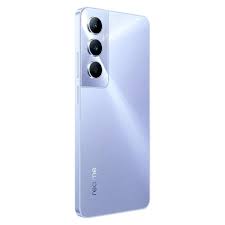
Download Realme C55 RMX3710 Flash File. With this file you can unlock device Screen lock Pattern, FRP and can upgrade or downgrade the device. Always use latest flash file to flash Realme C55 check device version by dial code *#899# in emergency dial. download the file with direct download link given below and read all flashing instructions before flashing the phone,Easy way.
Realme C55 is Powered by MediaTek Helio G88 Latest Chipset (CPU). It comes with 6GB of RAM. Realme C55 come with 5000mAh non-removable battery and fast charging 33W. Realme C55 runs Realme UI 4.0 is based on Android 13 and packs 128GB of inbuilt storage and the phone have dedicated SD Card slot to Extend device storage.
How To Flash Realme C55 RMX3710:-
Download the firmware & extract
Out of the icon appearing, Double click on Download Tool
After tool launch on your pc, click on Start All
Switch off your mobile and connect it to pc by pressing volume up and down button
Downloaad Itel A60 A662L SPD Flash File Firmware Official Rom used for fix brick condition, hang on logo, corrupted device and all other software problems and flashing of stock rom remove root sign from device. Download Itel A60 SPD Latest Flash File, Flash tool and driver from links given below. Read all flashing instructions before flashing the phone.
Battery should be charged up to 70%Make sure you have Itel USB OG CableDownload and install SPD Flash Tool in PC Download And install drivers in your pc Obviously knowledge of flashing.
The Advantage Of Stock ROM:
Flash Stock ROM to unbrick your Itel A60
Flash Stock ROM to fix the boot loop problem
Upgrade And Downgrade Itel A60
Unroot and fix bugs on your phone
To fix the lag or Stutter on your Itel A60
By flashing Stock ROM, you can solve software problems
Realme 8i RMX3151 Flash File can be used to fix hang on the logo and remove all screen locks. This file will remove all type of screen lock like Pattern and frp after flash. Always use latest flash file to flash Realme 8i check device version by dial code *#899# in emergency dial. FRP Remove code *#899# in emergency dial download the file with direct download link given below and read all flashing instructions before flashing the phone.
Realme c2 RMX1941 Flash File can be used to fix hang on the logo and remove all screen locks. when you run flash tool in your pc it will ask you to log in because tool required login credentials then it can be flash. if you don’t have then simply contact me or message me on the facebook page. It’s Paid Service.
Vivo V29 Pro PD2284F Flash File Firmware Official Rom used for fix brick condition, hang on logo, Corrupted device and other software problems and flashing of stock ram remove root sign from device. Download Vivo V29 Pro PD2284F Latest Flash File, Flash tool and driver from links given below. Read all flashing instructions before flashing the phone.
Download Vivo V29 Pro PD2284F Flash File Firmware:-
Vivo V29 Pro 5G is Powered by Mediatek Dimensity 8200 (4 nm) Latest Chipset (CPU). It comes with 8GB And 12GB of RAM. Vivo V29 Pro 5G come with 4600mAh non-removable battery Fast Charging Speed 80W. Vivo V29 Pro 5G runs Futouch OS 13 is based on Android 13 and packs 256GB of inbuilt storage and phone does not have any dedicated SD Card slot to increase device storage.
Pre-requisites before flashing Vivo V29 Pro PD2284F
Battery should be charged up to 70%Make sure you have Vivo USB OG CableDownload and install SP Flash Tool in PC (Recommended: UMT, Unlocktool, EMT Tool)Download And install drivers in your pc Obviously Knowledge of flashing.
The Advantage Of Stock ROM:
Flash Stock ROM to unbrick your Vivo V29 Pro
Flash Stock ROM to fix the boot loop problem
Upgrade And Downgrade Vivo V29 Pro
Unroot and bugs on your phone
To fix the lag or Stutter on your Vivo V29 Pro
By flashing Stock ROM, you can solve software problems
Revert back to Stock to gain your warranty.
How To Flash Vivo V29 Pro PD2284F Using SP Flash Tool:
Download and install MediaTek driver in your pc (skip this step if MediaTek drivers are already installed)
Download Vivo V29 Pro flash File and tool and extract both
Run SP flash tool and select Scatter File from flash file folder
Click Download Button
Power Off and connect your phone
SP Flash tool will start flashing auutomatically after detect your phone.
It will lead you to successful flashing.
Whatsapp Me For Flashing +917017426154 (if you facing any problem while flashing)
Note: If your device is not connecting to pc then download the driver from above and install in your pc.
Vivo Y90 PD1917F Flash File Firmware Official Rom used for fix brick condition, hang on logo and corrupted device and flashing of stock rom remove root sign from device.
Stock rom flashing can repair imei and fix all red, orange and yellow state problems.
his page, we have shared the download link and guide to install the Samsung SM-M013F (Galaxy M01 Core) firmware flash file using the (Also known as (Odin Tool). Here you will find all stock firmware zip files for all the supported regions with Samsung SM-M013F, Flash For Odin Tool.
If you are someone who wants to restore the device back to factory Flash File, then this guide is for you. By using this guide, you can fix certain software-related issues such as hard brick, soft brick, WiFi, or Bluetooth issue, fix Logo Problem Password Unlock.
The Android Utility v124 allows users to flash firmware and bypass Digital Authentication Authority (DAA) and Software Licensing Authentication (SLA) on Android devices. It can also be used to unlock the device. This guide will walk you through the MTK Meta Utility steps to flash firmware, bypass DAA and SLA auth, and open your Android device.
Recently, many Android smartphones have USB protection to prevent unauthorized flashing and misuse of the device. This means you won’t be able to flash or unlock your phone without the proper tools or permissions. However, the MTK Meta Utility tool is a powerful tool that can bypass the Digital Authentication Authority (DAA) and Software Licensing Authentication (SLA) lock on your device. In this tutorial, we will guide you through using the latest version of the MTK Meta Utility tool to bypass the DAA/SLA lock on your device easily.
MTK Meta Mode Utility Tool is a powerful tool that can detect and work with many Oppo, Vivo, Tecno, Xiaomi Redmi, Infinix, and other MTK-based smartphones. It allows you to connect your device to various flashing, unlocking, and repairing tools like SP flash tool, Miracle Box, UMT, MRT, MCT, and CM2 Dongle. It has an auto-installer package and supports Windows 11, Windows 10, Windows 8, Windows 8.1, Windows 7, and Windows XP (32 & 64bit) architecture.
MTK Auth Bypass Tool v124.02.2244 also known as MTK Meta Mode Utility) is a Windows program that allows users to bypass Digital Authentication Authority (DAA) and Software Licensing Authentication (SLA) on MediaTek (MTK) phones. This tool can detect various MediaTek-based phones, including Samsung, Oppo, Vivo, Tecno, Xiaomi Redmi, Infinix, and others. It is a free program and makes it easy for advanced users to bypass secure boot protection on their MediaTek phones.
MTK META Utility Tool Feature
Disable Auth: This allows you to bypass your device’s DAA/SLA lock.
Read ADB Info: Allows you to read information about your device using ADB.
Dump Preloader: This allows you to dump the preloader of your device.
Read Fastboot Info: Allows you to read information about your device using Fastboot.
Read Part (Meta): Allows you to read the partition of your device.
Analyze Preloader: This allows you to analyze the preloader of your device.
Format Part (Meta): Allows you to format the partition of your device.
Analyze MTK DA: This allows you to analyze the MTK DA on your device.
Reboot Meta: Allows you to reboot your device in Meta mode.
Write Part (Meta): Allows you to write to the partition of your device.
Crash Preloader Brom: Allows you to crash the preloader of your device.
Reboot Factory Mode: Allows you to reboot your device in factory mode.
Dump NV Regions (Meta): Allows you to dump the NV regions of your device.
FRL-L22 Y9A DL to Brom: You can switch your device to Brom mode.
Reboot AT Mode: You can reboot your device in AT mode.
Dump User Area (Meta): Allows you to dump the user area of your device.
Vivo Demo Remove (AT): You can remove the demo version of Vivo devices.
Reboot Fastboot: This allows you to reboot your device in fastboot mode.
Dump PGPT (Meta): Allows you to dump the PGPT of your device.
Extract Super IMG: Allows you to extract the Super IMG from your device.
Dump EXT_CSD (Meta): Allows you to dump the EXT_CSD of your device.
Disable Payjoy App (ADB): This allows you to turn off the Payjoy app on your device.
Extract OFP (MTK + Qualcomm): This allows you to extract the OFP from your device.
PGPT to Scatter: Allows you to convert the PGPT to scatter format.
Read NVRAM (Meta): Allows you to read the NVRAM of your device.
Extract Samsung ROM (MTK): This allows you to extract the Samsung ROM from your device.
Scatter to PGPT: Allows you to convert the scatter to PGPT format.
Write NVRAM (Meta): Allows you to write to the NVRAM of your device.
Extract Huawei Update (MTK): You can extract the Huawei update from your device.
EMMC Health Check (Meta): This allows you to check the health of the EMMC on your device.
Wipe NVRAM (Meta): Allows you to wipe the NVRAM of your device.
Unlock Network (Meta): You can unlock your device’s network.
Extract RedMagic (Payload.bin): This allows you to extract the RedMagic from your device.
GEN FRP Reset PKG (Meta): Allows you to generate the FRP