Boot Key: Volume UP + Down


How to Flash LYF Jio F30c:

1- Download LYF F30c Flash file
2- Download QPST tool.
3- Install Qualcomm driver.
4- Run QPST tool.

5- Add new port. Connect phone holding boot key.  (Check device manager)
6- Click browse & selact Stock ROM file.


7- Select Download and wait for the flashing to finishing.

If flashing Fails or does not start, then there must be a gap between the words while choosing flash file. Rename folder.

As in Qualcomm Flashing, there must be no gap in between the words.

jio new should be replaced by jio_new or jionew.
Download All LYF Jio Flash files. List include Android and keypad phones launched by LYF Mobile. Flash File is used for reinstallation of OS which solves issue Like Hang on LYF logo, Virus issue, Pattern etc.
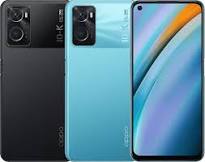
Oppo Roll out their Oppo K10 CPH2373 Flash File to public and customers. Now we can use it when our device faces software related issues and for unlock the device Screen lock.
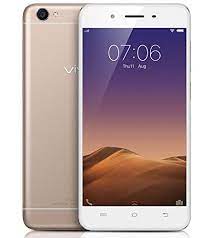
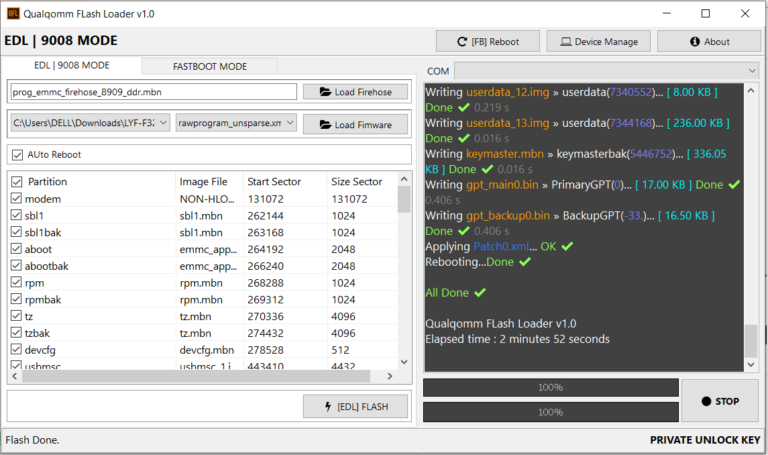
1- Download Vivo Y55s PD1613BF Flash file 2- Download QPST tool. 3- Install Qualcomm driver. 4- Run QPST tool. 5- Add new port (Check device manager) 6- Click Load XML and browse for rawprogram_unsparse.xml in Stock ROM file. 7- Click Load Patch and browse for patch0.xml in Stock ROM file folder. 8- Select the firmware by clicking in Browser of Search Path. 9- Select Download and wait for the flashing to be finish.
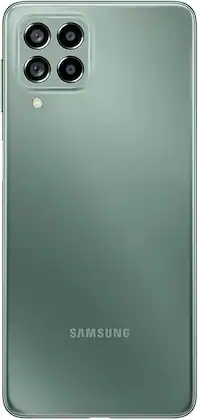
The Galaxy M53 5G sets at the top of Samsung, which now spans a wide range of prices. Samsung latest smartphone boasts of some interesting as a 120Hz Super ALLMOST display, a Media-Tek Density 900 SOC with vaipour cooling, and a 108-megapixel primary camera. My first this device were positive, and it’s now time to see how it fares against the competition. Is it a worthy successor to the Galaxy M53 5G, and should be your first choice under Rs. 30,000? Let’s find out.
Samsung Galaxy M53 5G mobile was launched on 22nd April 2022. The phone comes with a 120 Hz refresh rate 6.70-inch touchscreen display offering a resolution of 1080×2400 pixels (FHD+) .powered by an Octa-core media-Tek Density 900 processor that features 2 cores clocked at 2.4GHz and 6 cores clocked at 2GHZ. It comes with 6GB, 8GB of RAM. The Samsung Galaxy M53 5G runs Android 12 and is powered by a 5000mAh battery. The Samsung Galaxy M53 5G supports proprietary fast charging.
As far as the cameras are concerned, the Samsung’s Galaxy M53 5G on the rear packs a quad camera setup FEATURING 108-megapixel (f/1.8) primary camera; an 8-megapixel (f/2.2) camera; a 2-megapixel (f/2.4) CAMERA, and a 2-megapixel (f/2.4) camera. It has a single front camera setup for selfies, featuring a 32-megapixel sensor with an f/2.2 aperture.
The Samsung Galaxy M53 5G runs One UI 4.1 is based on Android 12 and packs 128GB of inbuilt storage that can be expanded via MicroSD card (up to 1024GB). The Samsung Galaxy M53 5G is a dual-SIM (GSM and GSM) mobile that accepts Nano-SIM and Nano-SIM cards. The Samsung Galaxy M53 5G measures 164.70 x 77.00 x 7.40mm (height x width x thickness) and weighs 176.00 grams.
Connectivity options on the Samsung Galaxy M53 5G include Wi-Fi 802.11 a/b/g/n/ac, GPS, Bluetooth v5.20, USB Type-C, Wi-Fi Direct, 3G, 4G (with support for Band 40 used by some LTE networks in India) , and 5G with active 4G on both SIM cards. Sensors on the phone include accelerometer, ambient light sensor, compass/ magnetometer, gyroscope, proximity sensor, and fingerprint sensor. As of 12th September 2022, Samsung Galaxy M53 5G price in India starts at Rs. 24,999.
It fits the definition of a flagship killer thanks to its top-the-line Qualcomm Snapdragon 888 processor and a 108-megapixel camera at a starting price of Rs 39,999. So does the Mi 11X Pro offer the kind of value for money that will make its competitors take notice? I’ve tested it to find out .
Vivo Y12 PD1901BF Flash File Firmware Official Rom used for fix brick condition, hang on logo and corrupted device and flashing of stock rom 100% Tested remove root sign from device. Download Vivo Y12 PD1901BF Latest Flash File Stock Rom, Flash tool and driver from links given below.
Stock rom flashing can repair imei and fix all red, orange and yellow state problems.