Samsung A30 (SM-A305F) Flash File (Stock Rom)
Samsung A30 INS-A305FDDU4BTB3_A305FODM4BTB3-20200207 100% Tested Flash File
All Latest File Avilable Download
Odin Tool
Samsung A30 INS-A305FDDU4BTB3_A305FODM4BTB3-20200207 100% Tested Flash File
Samsung A30 (SM-A305F) Flash File (Stock Rom)
Samsung A30 INS-A305FDDU4BTB3_A305FODM4BTB3-20200207 100% Tested Flash File
All Latest File Avilable Download
Odin Tool
Samsung A30 INS-A305FDDU4BTB3_A305FODM4BTB3-20200207 100% Tested Flash File
Vivo Y53 Flash File (Stock Rom) 100% Tested Flash File
Download Vivo Y53 Flash File:-
1- Download Vivo Y53 Flash file
2- Download QPST tool & UMT Ya Unlock Tool Use.
3- Install Qualcomm driver.
4- Run QPST tool & UMT Ya Unlock Tool Use.
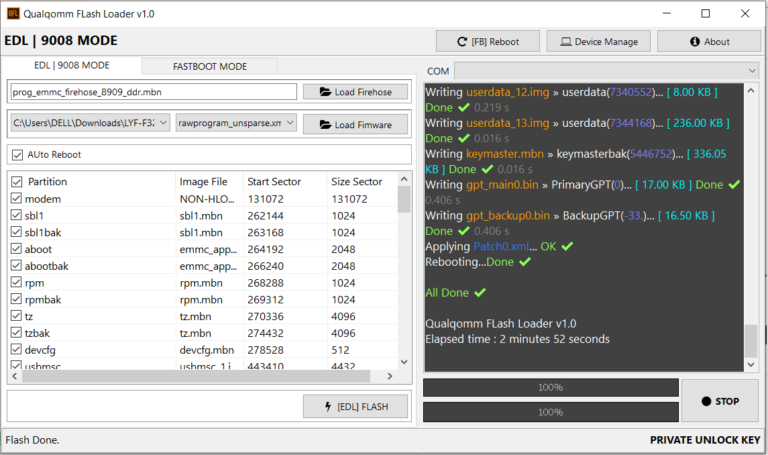
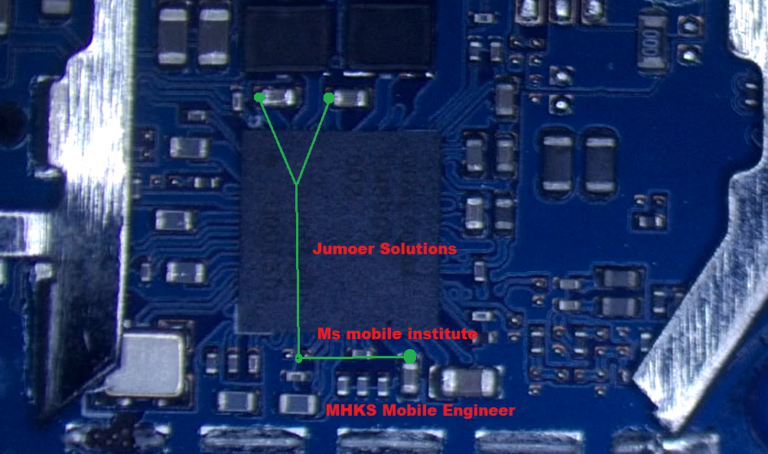
5- Add new port (Check device manager), Short test point then connect.
6- Click Load XML and browse for rawprogram_unsparse.xml in Stock ROM file.
7- Click Load Patch and browse for patch0.xml in Stock ROM file folder.
8- Select the firmware by clicking in Browser of Search Path.
9- Select Download and wait for the flashing to finish.
10- Phone Reboot
Realme 5i RMX 2030 Full Dump File Tested File | Realme Official Dump File 100% Tested Dump File,
Dead Boot Reapir Hang On Logo FIX.
Realme Phone Dead Boot Repair, Hang On Loga Problem Fix This Flash File (Dump File).
Init bus…
VCC: 3.3 V, VCCQ: 1.8 V
Bus: 1 bit (SDR 24MHz)
Access mode: sector mode
Power supply: dual-voltage (1.70-1.95V, 2.7-3.6V)
Card/BGA: BGA (Discrete embedded) – High density MMC
Manufacturer ID: 0x15 (Samsung)
Product name: DH6DAB (0x444836444142), rev: 0x02, serial number: 0x619568EC
Manufacturing date: Dec 2019
CID: 15010044 48364441 42026195 68ECC6D8
CSD: D0270132 0F5903FF F6DBFFEF 8E40400C
EXT_CSD revision: 1.8 (MMC v5.1)
Partition info:
Boot1: 4096 KiB
Boot2: 4096 KiB
RPMB: 16384 KiB
User area: 58.24 GiB(62,537,072,640 bytes)
ANDROID System Info:
platform: trinket, cpu abi: arm64-v8a
manufacturer: realme
board: trinket, name: RMX2030
brand: realme, model: RMX2030
build model list: RMX2031, RMX2032, RMX2190, RMX2030
build id: PKQ1.190616.001, version: 9 Pie (RMX2030EX_11_A.20)
build description: trinket-user 9 PKQ1.190616.001 eng.root.20200515.044412 release-keys
crypto state: encrypted?
Setting preset to exclude user area to 7.54 GiB.
MS_MOBILE_INSTITUTE
Realme 5i RMX 2030 Full Dump File Tested File | Realme Official Dump File 100% Tested Dump File.
Download Xiaomi Redmi Note 6 Pro Latest Flash File:-

Download Xiaomi Redmi Note 6 Pro Flash File
1- Connect phone through USB cable to PC and unplug battery.
2- Short Test Point and connect battery.
3- Under Device Manger, port of Qualcomm HS USB QLoader 9008 port will appear.
4- Download & run MI Flash Tool
5- Place the Flash File on Desktop.
6- Assign the Folder path.
7- Click on refresh & then tap Flash button.
8-Done Phone Reboot.
Password-Msmobileinstitute
Samsung B110E Flash File (Stock Rom) 100% Teated File
Samsung b110E Tested Flash File One Click Download, This File Full Flashing Unlocking Password Unlock, .PAC File
Samsung b110e flash file 100% Tested File (Stock ROM):
Download the original firmware (Samsung b110e File Stock ROM) to your computer. The Catalog Stock ROM comes in a zip or rar box and includes Flash Card, Samsung b110E Tested Flash File One Click Download, Flash Device, USB Driver, and Flash How-to Manual. spd6530 sc6530 spd6500 sc6500 sc spd cpu rom bin pac file download.
Samsung Metro B110e Problem Hang on Logo Imei Issue , Password Reset, Black Display,And Any Other Issue Like Password Remove it is Very Easy To Flash Not Responsible For Any Damage Phone .
Free File 1000% Working.
Samsung b110E Tested Flash File One Click Download, This File Full Flashing Unlocking Password Unlock, .PAC File SPD Tool Support.
Qflash Tool Download ( All Latest Version ) Qflash Tool V1.9.7, Qflash Tool V6.1.3, Qflash Tool V5.0.2
ALL Latest Version Download Link, 100% Tested Tool
One Click Downloading Link
Qflash Tool Download ( All Latest Version )
Qflash Tool Download ( All Latest Version ) Qflash Tool V1.9.7, Qflash Tool V6.1.3, Qflash Tool V5.0.2
ALL Latest Version Download Link, 100% Tested Tool
MTK Driver Auto Installer (One Click Install)
MTK Driver Auto Installer (One Click Install) All MTK CPU Support
MT62XX, MT65XX, MT67XX, MT68XX, All MTK CPU Support.
One Click Install
Download Oppo RealMe 2 RMX1805 Flash File (Stock ROM).
100% Tested Flash File Download Now
Note: Tool requires Login Credential & if you do not own then you cannot flash this file.
MSM Tool Oppo Reame Official Tool
UFI BOX & Easy Jtag
OFP File Extract Than Support ALL Tool.
Download Oppo RealMe 2 RMX1805 Flash file
1- Download the Firmware package & run Flash tool.
2- Out of the icon appearing, Double click on MSM Download Tool.
3- it will launch the tool on your PC, Click on Start All.
4- Then it will verify for PC Memory Checksum.
5- Switch off your Mobile and Connect it to PC by pressing Volume down and Volume up key.
6- It will lead you to Successful Flashing.
Download from here Realme 2 Dump File, all dump files are official original files, you can recover dead boot by flashing this Dump file by EMMC tool UFI Box or Easy Jtag box. To flash a dump file, the phone has to be connected via ISP Pinout and Eshoket, then flash the dead phone. The given file is a 100% verified file by the mobile technician and is the original file.
Realme 2 RMX1805 Dump File 100% Tested File
Init bus…
VCC: 3.3 V, VCCQ: 1.8 V
Bus: 1 bit (SDR 24MHz)
Access mode: sector mode
Power supply: dual-voltage (1.70-1.95V, 2.7-3.6V)
Card/BGA: BGA (Discrete embedded) – High density MMC
Manufacturer ID: 0x90 (SK Hynix)
Product name: HCG8a4 (0x484347386134), rev: 0xA2, serial number: 0xC74504C3
Manufacturing date: Jun 2018
CID: 90014A48 43473861 34A2C745 04C365F6
CSD: D0270132 8F5903FF FFFFFFEF 8A400026
EXT_CSD revision: 1.8 (MMC v5.1)
Partition info:
Boot1: 4096 KiB
Boot2: 4096 KiB
RPMB: 4096 KiB
User area: 58.24 GiB(62,537,072,640 bytes)
ANDROID System Info:
platform: msm8953, cpu abi: arm64-v8a
manufacturer: OPPO
board: msm8953, name: RMX1805
brand: OPPO, model: RMX1805 (realme 2)
build model list: RMX1809 (realme 2), RMX1811 (realme C1), RMX1805 (realme 2)
build id: PKQ1.190319.001, version: 9 Pie (RMX1805EX_11_A.68)
build description: S88051AA1-user 9 PKQ1.190319.001 eng.root.20200521.145353 release-keys
crypto state: encrypted?
Setting preset to exclude user area to 5.43 GiB
Realme 2 RMX1805 Full Dump File 100% Tested Free
The dump file is used to bring the dead phone back to the on-mode mode. If any smartphone flashes from the wrong file during a flash, or for some reason a flashing error occurs, the phone helps to recover the dead boot again by dumping the file. To flash a dump files is done very carefully. You can only flash it with the Emmc tool, it will not work with other tools. The phone has to be connected by ISP Pinout which is to be carefully connected to the UFI box or EMMC tool inside the phone board.