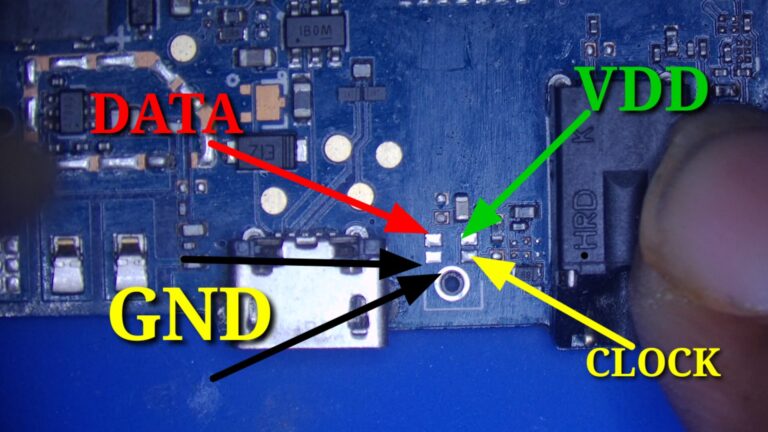
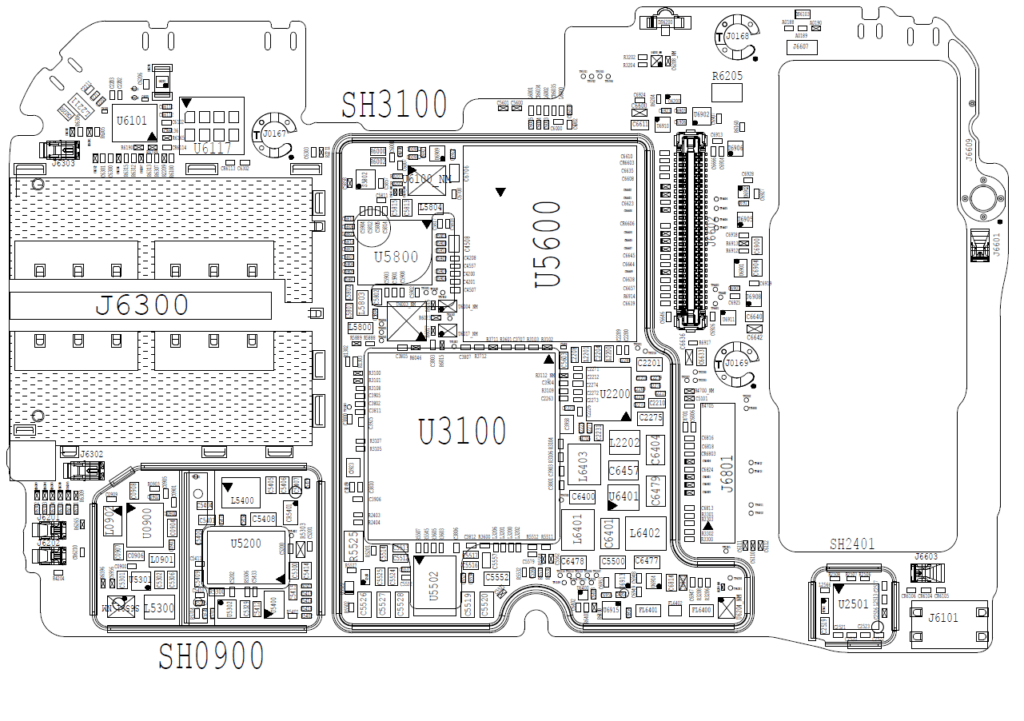
Code: General changes: BUGFIX: Revised Dark Mode UI support BUGFIX: Minor bugfixes and improvements
Code: eMMC ToolBox changes: ADD: Special Task in Programming Tab – Update eMMC5x Firmware Firmware update method for all eMMC 5.x – Secure Wipe(TRIM, Sanitize) – [moviNAND] eMMC Full Reset (Reset RPMB, ECC error, Factory Reset) – [moviNAND] Force boot mode (erase firmware) ADD: BOOT_SIZE entry on EMMC PARTITIONING tab (For Micron eMMC) BUGFIX: Revised eMMC Fw routine BUGFIX: Minor bugfixes and improvements
Code: UFS ToolBox changes: Requires UFI UFS-PROG with firmware version 01.34
Basic features: To work with UFS ToolBox, UFI Box is required for security UFS ToolBox license for UFI Box need to be activated once Activation process requires UFI UFS-PROG to be connected together with UFI Box Support LS(PWM Gear 1-4) and HS Gear 1-3B Currently support up-to UFS2.2 Direct(ISP) method work in PWM Gear 1-4 Support for UFS CONFIGURATION (Provisioning) Basic Wipe, Erase, Read and Write LUN and user partition ADD: UFS ToolBox activation routine ADD: UFI UFS-PROG Firmware update routine ADD: Special Task (Partially implemented) ADD: Raw LUN and User partition function implemented in PROGRAMMING tab ADD: FACTORY IMAGE functions revised to work with UFS device [ICODE]
[CODE] Android ToolBox changes: ADD: Recent model selection ADD: Model list sort improved BUGFIX: Improved bypass security routine for MediaTek BUGFIX: Minor bugfixes and improvements
Redmi 9/9A Frp Bypass Mi Account Without Auth SP Tool: On your Xiaomi Redmi 9/9A phone, you face the FRP lock problem. Then, good news for you, here I upload the latest method that will undoubtedly support you in a few steps or one click to Redmi 9/9A FRP Bypass [Unlock Google Account]. Only download the latest Xiaomi Redmi 9/9A FRP File MIUI 12 and follow these easy steps to Redmi 9/9A FRP Bypass [Unlock Google Account] Without Any Box MIUI 12 very quickly. You don’t have about authorization or no need for any other tool. So, carefully observe the procedure below.
Redmi 9/9A mi account removes: Let’s explore some basics about MI cloud & FRP accounts before learning how to uninstall MI accounts. On any Xiaomi phone, this is a safety feature available. Using this account, users on a cloud server can back up their valuable phone data. Other features such as phone finder and file synchronization are also present. If a phone gets misplaced, the user can lock it remotely and erase data from it.
It locks the bootloader, in addition to a bunch of other facilities, so that nobody other the owner can reset the phone factory. You must user ID and password of the previous MI account used on the phone if you want to complete the reset process. Otherwise, will lock it.
Redmi 9/9A Frp Bypass Mi Account Without Auth SP Tool
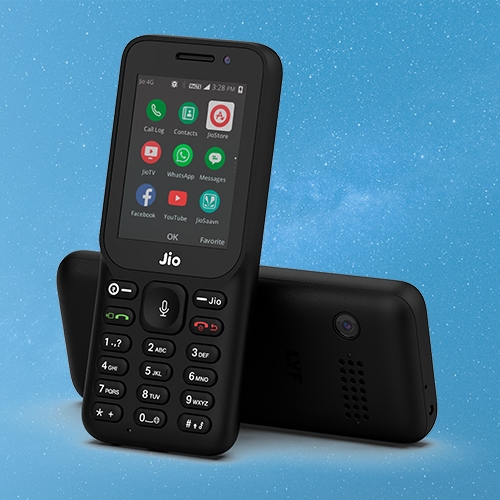
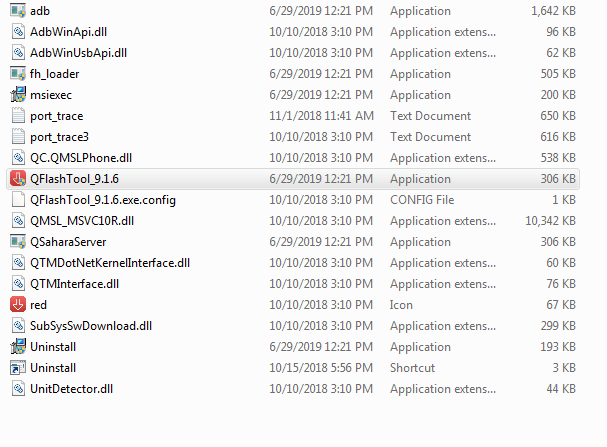
1- Download LYF Jio F320B Flash file which consists of File, tool & Driver. 2- Install Driver 3- Connect Phone holding Boot key: * mode to cross-check driver installation. It will make port named “Qualcomm HS-USB Diagnostics 9008”. 4- It means the driver has been installed successfully. 5- Install Flash Tool, which will install a shortcut on Desktop named Qflash_Tool_9.1.7.
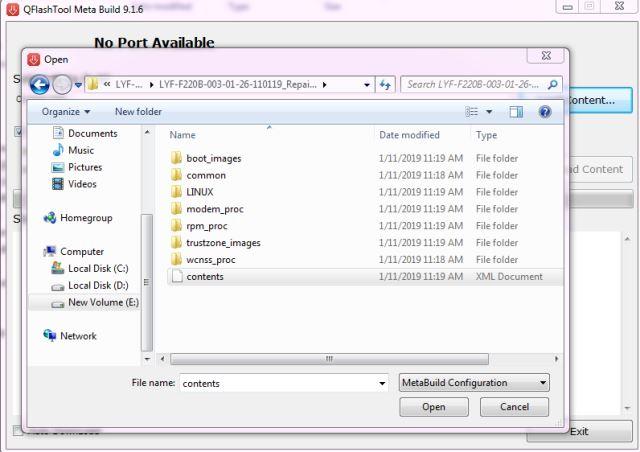
6- Connect phone (Press * as Boot key)& Click on Load Content and from Flash File Folder select Content.xml
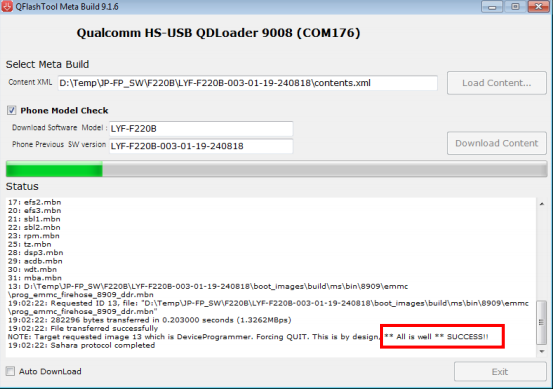
7- It will show Port in tool. 8- Click on Download Content to start Upgrading.
9- Wait till done appears. 10- After upgradation, device will shift to download mode. 11- Disconnect Phone & reinsert battery.
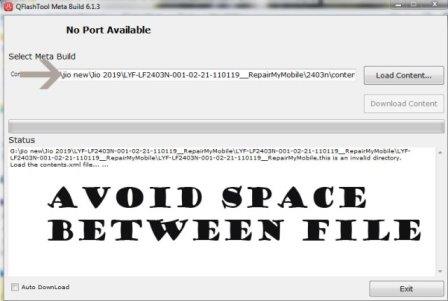
If flashing Fails or does not start, then there must be a gap between the words while choosing flash file. Rename the folder.
As in Qualcomm Flashing, there must be no gap in between the words.
Samsung A10s FRP Reset File Unlock By Sp Flash Tool: FRP is an inbuilt data protection feature for all present-day Android smartphones, It protects phones from unauthorized access. After performing a factory reset, If you forget the last active Gmail account which was used on your phone, then, you have to find a solution to unlock your phone. Here, more especially, I share a URL to download Samsung All Version SM-A107F/DS, SM-A107M/DS, Samsung A10s FRP Reset File Unlock By Sp Flash Tool with proper instructions to unlock your phone. So, follow the below process carefully Step By Step.
Google provides the new FRP feature on Android Lollipop, Marshmallow, Nougat, Pie, Oreo, and 10 Q versions. The summarization of factory reset protection is FRP and it basically protects Android users’ personal data and Privacy during thefts. The process of unlocking FRP security has different with every new Android version and phone. So, always remember the Gmail account information to avoid FRP protection lock.
The FRP turns On automatically when you have setup a Google Account on your Samsung A10s Phone. After Reset your phone without removing the Google Account, you have to log in with the same Google ID and password that you set up earlier on the device to bypass Google account verification lock on your Samsung A10s.
In case, your device stuck at the FRP lock verification screen and you have forgotten the account information, Then these simple step-by-step instructions will help you to bypass google account lock from your device.
The Samsung A10s FRP Unlock process has become very challenging, Also you can use any compatible FRP bypass tool & FRP Bypass APK according to your phone to unlock FRP, and here I share the latest FRP Bypass process to bypass FRP lock from your device.
If you want to disable the FRP lock feature from your Samsung A10s then you need to delete the Gmail Account from the device Settings. follow the below process completely to disable the Factory Reset Protection successfully: go to the settings menu=>> Accounts=>> select the Gmail id =>> remove account =>> that’s it.
How to Reset FRP Samsung A10s SM-A107F/M by SP Tool
Download & extract Samsung A10s FRP Reset file with SP Flash Tool to your computer.
Open the Flash tool folder
Run SP Flash tool.exe
Click on Choose from Download-Agent file Tab and select the MTK_All_IN_ONE_DA.bin file from the FRP folder.
Tap Open
Click on Choose from Scatter-Loading File Tab and select the MTK6765_scatter.txt file from the Samsung A10s FRP folder.
Tap Open
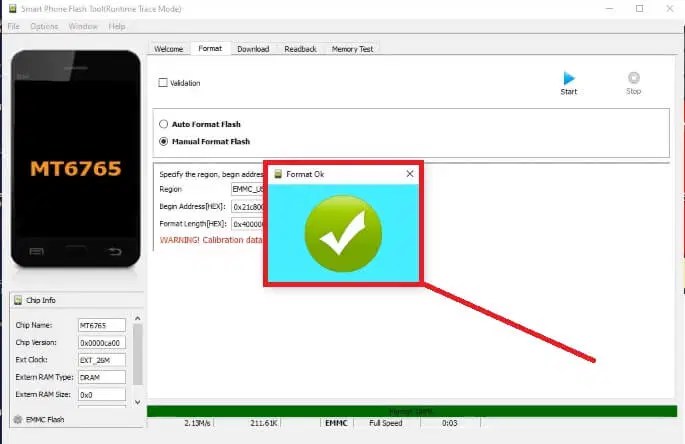
Goto Format => Select Manual Format Flash
Copy and Paste the below FRP Address into the SP flash tool
FRP Address
BEGIN ADDRESS: 0x15000000
FORMAT LENGTH: 0x80000
Open Auth Bypass folder
Run 1-Run.bat as Admin to your computer
Now Power Off your Samsung A10s SM-A107F/DS, SM-A107M/DS phone.
Connect your device to computer via USB cable
Now the tool will detect your phone & bypass Auth protection automatically.
(Don’t forget to install Python on your PC before Run Auth bypass software)
Now Open the SP Flash Tool
Goto Options =>>> Option =>>> Connection
Select Connection Settings =>> USB =>> High Speed
Open Device Manager => Check the COMPORT Number
Select the COMPORT number (In my case I have COM9)
Click START
The unlocking process will begin
It will take some time to finish
Once finished, disconnect and Power On your Samsung A10s
MI Redmi Y2 / YSL ENG Latest File Download Ms mobile Institute 100% Tested File
Hello Friends, Here you found the Emmc Changing File & ENG File of Redmi S2 and Y2 for Replace and Repair your Corrupt Emmc and I also inform you that this firmware work only Redmi y2and s2 and use only Emmc change no need change CPU on redmi device

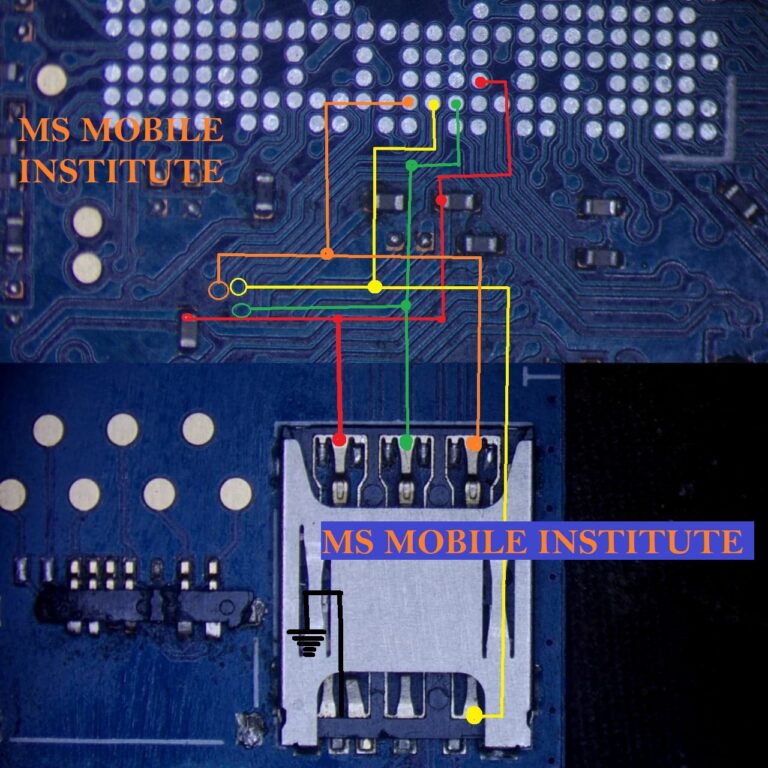


![Samsung A10s FRP Reset File Unlock By Sp Flash Tool Free [All Version].](https://msmobileinstitute.com/wp-content/uploads/2021/05/Capture-5-768x503.png "Samsung A10s FRP Reset File Unlock By Sp Flash Tool Free [All Version].")