Home Blog Page 8

OPPO Find N2 Flip CPH2437 (STOCK ROM) TESTED

TAP THE LINK FOR DOWNLOAD OPPO Find N2 Flip FLASH FILE:

CPH2437GDPR_11_15.0.0.1101EX01
phoneName = OPPO Find N2 Flip
projectno = 22221
oppo.com/en/smartphones/...

Here’s a visual gallery of the OPPO Find N2 Flip (CPH2437)—showcasing its sleek clamshell design, cover screen, and hinge mechanism for reference.


OPPO Find N2 Flip (CPH2437) Overview

Design & Display

  • Form Factor: A compact clamshell flip phone that folds to approximately 85.5 × 75.2 × 16 mm and unfolds to 166.2 × 75.2 × 7.5 mm; both versions weigh around 191 g .
  • Displays:
    • Main (inner): 6.8-inch FHD+ (2520 × 1080) flexible AMOLED with 120 Hz LTPO refresh (down to 1 Hz), 240 Hz touch sampling, ~403 ppi, and peak brightness up to 1600 nits
    • Cover (outer): 3.26-inch AMOLED (720 × 382), 60 Hz refresh, 120 Hz touch sampling, ~250 ppi, peak brightness ~900 nits
  • Build: Ultra-thin glass on the main screen, Gorilla Glass 5 on the cover; plastic back, aluminum frame, stainless steel hinge
  • Colors Available: Astral Black, Moonlit Purple, and Gold (China).

Performance & Software

  • Chipset: MediaTek Dimensity 9000+ (4 nm, octa-core) .
  • Memory Options:
    • RAM: 8GB / 12GB / 16GB LPDDR5
    • Storage: 256GB or 512GB UFS 3.1 (no expandable storage).
  • Software: Ships with Android 13 and ColorOS 13; OPPO promises 4 years of OS updates and 5 years of security patches

Cameras

  • Rear:
    • 50 MP main (wide) camera with Sony IMX890 sensor, f/1.8, PDAF
    • 8 MP ultra-wide, f/2.2, 112°
    • Video: Up to 4K@30fps, slow-motion, panorama, night mode, XPAN, etc. .
  • Front:
    • 32 MP selfie camera, AF capable
    • Video: 1080p@30fps; supports night, portrait, time-lapse modes .

Battery & Charging

  • Battery: 4300 mAh (typical)
  • Charging: 44W wired fast charging (0–50% in ~23 minutes); supports reverse wired charging; does not support wireless charging .

Connectivity & Extras

  • Networks: Dual Nano‑SIM (and eSIM in some regions) with extensive 5G/4G band support .
  • Wireless: Wi‑Fi 6, Bluetooth 5.3 (aptX HD, LDAC), NFC (region dependent) .
  • Biometrics & Sensors: Side-mounted fingerprint sensor, face unlock, dual gyros, proximity, ambient light, geomagnetic, hall sensor, step counter.
  • Speakers: Stereo with Dolby Atmos .

First Impressions & Reviews

  • Global Launch: Released globally (excluding the U.S.) at around £849 (~$1,020) .
  • Design Praise: Reviewers laud its nostalgic flip design, satisfying hinge, textured finish, and portability—compact but modern .
  • Display: Main screen is vibrant, responsive, and extremely bright; crease is present but minimal
  • Performance: Dimensity 9000+ delivers smooth performance. ColorOS still has some minor quirks like orientation switching and bloatware, but overall satisfaction is high. OPPO’s update policy is a strong point
  • Battery & Charging: Acceptable battery life—manageable for a day’s use; fast wired charging appreciated; lack of wireless charging is a common drawback .
  • Cameras: Rear 50 MP shooter captures detailed, vivid shots (sometimes overly enhanced); ultra-wide and selfie cameras are functional but not standout .

Quick Spec Summary

FeatureDetails
Display6.8″ 120 Hz AMOLED (main); 3.26″ cover display
ChipsetMediaTek Dimensity 9000+
Memory8/12/16 GB RAM; 256/512 GB storage
Cameras50 MP wide + 8 MP ultra-wide rear; 32 MP front
Battery4300 mAh with 44 W fast charging
OSAndroid 13 (ColorOS 13)
NotablesNo wireless charging, no IP rating, hinge lint concern

Let me know if you’d like more details—pricing in India, comparisons to the Galaxy Z Flip4, or accessory suggestions!

All Realme OTA (FRP) File || Realme UI 5.0 Update Download ( Android 14) Tested File

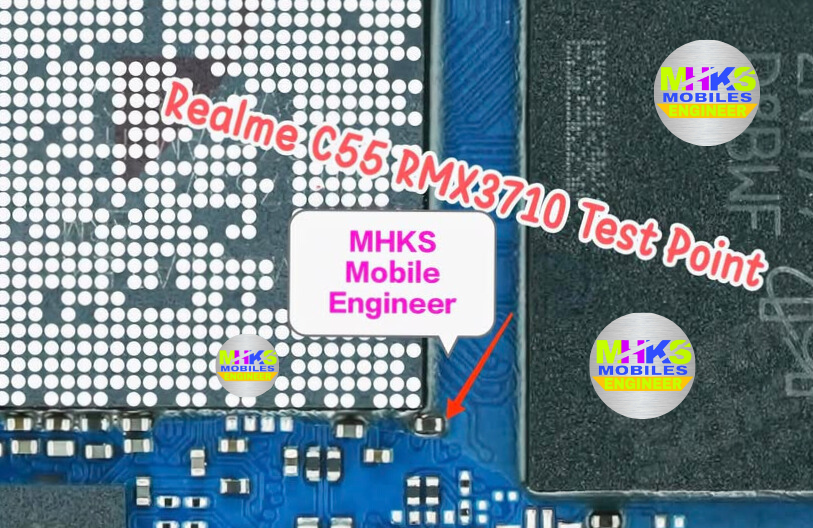
Realme C55 RMX3710
Model-Realme C55
Code Name-RMX3710
Version- RMX3710_Android 15 to 14
File Type- OTA
File Size- 5.06 GB
Link -LAZY LOGIN TOOL Realme Flash Tool Download
 

Realme 10 Pro+ 5G RMX3686
Model-realme 10 Pro+ 5G
Code Name-RMX3686
Version- RMX3686_14.0.0.915(EX01)
File Type- OTA
File Size- 6.1 GB
Link- LAZY LOGIN TOOL Realme Flash Tool Download
realme narzo 60 Pro 5G RMX3771
Model- realme narzo 60 Pro 5G
Code Name- RMX3771
Version- RMX3771_14.0.0.912(EX01)
File Type- OTA 
File Size- 6.2 GB
Link- LAZY LOGIN TOOL Realme Flash Tool Download
realme 11 Pro+ 5G RMX3741
Model- realme 11 Pro+ 5G
Code Name- RMX3741
Version- RMX3741_14.0.0.912(EX01) 
File Type- OTA
File Size- 6.2 GB
Link- LAZY LOGIN TOOL Realme Flash Tool Download
realme 11 Pro 5G RMX3771
Model- realme 11 Pro 5G
Code Name- RMX3771
Version- RMX3771_14.0.0.912(EX01)
File Type- OTA
File Size- 6.2 GB
Link- LAZY LOGIN TOOL Realme Flash Tool Download
realme 10 Pro 5G RMX3660
Model- realme 10 Pro 5G
Code Name- RMX3660
Version- RMX3660_14.0.0.901(EX01) 
File Type- OTA
File Size- 5.5 GB
Link- LAZY LOGIN TOOL Realme Flash Tool Download
realme 11 5G RMX3780
Model- realme 11 5G
Code Name- RMX3780
Version- RMX3780_14.0.0.115(EX01)
File Type- OTA
File Size-  5.1 GB
Link- LAZY LOGIN TOOL Realme Flash Tool Download
  realme narzo 60x 5G
Model- realme narzo 60x 5G
Code Name-  RMX3782
Version- RMX3782_14.0.0.115(EX01)
File Type- OTA
File Size- 5.1 GB
Link- LAZY LOGIN TOOL Realme Flash Tool Download
realme C67 5G RMX3782
Model- realme C67 5G
Code Name- RMX3782
Version- RMX3782_14.0.0.115(EX01)
File Type- OTA
File Size- 5.1 GB
Link- LAZY LOGIN TOOL Realme Flash Tool Download
Realme 14x 5G RMX3940
Model-Realme 14x 5G
Code Name-RMX3940
Version- RMX3940_14.1.0.516(EX01)
File Type- OTA
File Size- 5.38 GB
Link -LAZY LOGIN TOOL Realme Flash Tool Download
realme 11x 5G RMX3785
Model- realme 11x 5G
Code Name- RMX3785
Version- RMX3785_14.0.0.115(EX01)
File Type- OTA
File Size- 5.1 GB
Link- LAZY LOGIN TOOL Realme Flash Tool Download
realme Narzo N65 5G RMX3997
Model- realme Narzo N65 5G
Code Name- RMX3997
Version- RMX3997_11.A.46_0460_202411261440
File Type- OTA
File Size- 5.3 GB
Link- LAZY LOGIN TOOL Realme Flash Tool Download
realme C65 5G RMX3997
Model- realme C65 5G
Code Name-RMX3997
Version-RMX3997_11.A.45_0450_202411251954
File Type-OTA
File Size-5.3 GB
Link- LAZY LOGIN TOOL Realme Flash Tool Download
Realme C63 5G RMX3950
Model-Realme C63 5G 
Code Name-RMX3950
Version- RMX3950_14.1.0.513(EX01)
File Type- OTA
File Size- 5.12 GB
Link- LAZY LOGIN TOOL Realme Flash Tool Download
realme 12x 5G RMX3998
Model-realme 12x 5G
Code Name-RMX3998
Version-RMX3998_11.A.60_0600_202412092212
File Type-OTA
File Size-5.3 GB
Link- LAZY LOGIN TOOL Realme Flash Tool Download
realme NARZO 70x 5G RMX3998
Model- realme NARZO 70x 5G
Code Name-RMX3998
Version-RMX3998_11.A.58_0580_202411291737
File Type-OTA
File Size- 5.3 GB
Link - LAZY LOGIN TOOL Realme Flash Tool Download
realme P1 5G RMX3870
Model- realme P1 5G
Code Name-RMX3870
Version-RMX3870_14.0.0.509(EX01)
File Type-OTA
File Size-5.5 GB
Link- LAZY LOGIN TOOL Realme Flash Tool Download
realme NARZO 70 5G RMX3869
Model-realme NARZO 70 5G
Code Name-RMX3869
Version-RMX3869_14.0.0.508(EX01)
File Type-OTA
File Size-5.6 GB
Link- LAZY LOGIN TOOL Realme Flash Tool Download
realme NARZO 70 Pro 5G RMX3868
Model-realme NARZO 70 Pro 5G
Code Name-RMX3868
Version-RMX3868_14.0.0.514(EX01)
File Type-OTA
File Size-5.9 GB
Link- LAZY LOGIN TOOL Realme Flash Tool Download
realme 12+ 5G RMX3867
Model- realme 12+ 5G
Code Name-RMX3867
Version-RMX3867_14.0.0.513(EX01)
File Type-OTA
File Size-5.9 GB
Link-LAZY LOGIN TOOL Realme Flash Tool Download
realme P1 Pro 5GRMX3844
Model-realme P1 Pro 5G
Code Name- RMX3844
Version-RMX3844_14.0.0.901(EX01)
File Type-OTA
File Size-6.5 GB
Link-LAZY LOGIN TOOL Realme Flash Tool Download
realme P1 Speed 5G RMX5004
Model-realme P1 Speed 5G
Code Name-RMX5004
Version-RMX5004_14.1.0.510(EX01)
File Type-OTA
File Size-6.6 GB
Link-LAZY LOGIN TOOL Realme Flash Tool Download
realme NARZO 70 Turbo 5G RMX5003
Model-realme NARZO 70 Turbo 5G
Code Name-RMX5003
Version-RMX5003_14.1.0.520(EX01)
File Type-OTA
File Size-6.6 GB
Link-LAZY LOGIN TOOL Realme Flash Tool Download
realme P2 Pro 5G RMX3987
Model-realme P2 Pro 5G
Code Name-RMX3987
Version-RMX3987_11.A.08_0080_202410221520
File Type-OTA
File Size-6.5 GB
Link-LAZY LOGIN TOOL Realme Flash Tool Download
realme 13 Pro 5G RMX3990
Model-realme 13 Pro 5G
Code Name-RMX3990
Version-RMX3990_11.A.40_0400_202410221455
File Type-OTA
File Size-6.4 GB
Link-LAZY LOGIN TOOL Realme Flash Tool Download
realme 13 Pro+ 5G RMX3921
Model-realme 13 Pro+ 5G
Code Name-RMX3921
Version-RMX3921_11.A.40_0400_202410221447
File Type-OTA
File Size-6.5 GB
Link-LAZY LOGIN TOOL Realme Flash Tool Download
Realme P1 Pro 5g RMX3660
Model-Realme P1 Pro 5g
Code Name-RMX3660
Version- RMX3660_11_C Android 15 to 14
File Type- OTA
File Size- 5.49 GB
Link- LAZY LOGIN TOOL Realme Flash Tool Download
realme 13+ 5G RMX5000
Model-realme 13+ 5G
Code Name-RMX5000
Version-RMX5000_14.1.0.450(EX01)
File Type-OTA
File Size-6.5 GB
Link-LAZY LOGIN TOOL Realme Flash Tool Download
Realme X RMX1901
Model-Realme X
Code Name-RMX1901
Version- RMX1901 Android 15 to 14
File Type- OTA
File Size- 3.51 GB
Link- LAZY LOGIN TOOL Realme Flash Tool Download
realme 12 5G RMX3999
Model-realme 12 5G
Code Name-RMX3999
Version-RMX3999_14.0.1.513 (EX01)
File Type-OTA
File Size-5.3 GB
Link-LAZY LOGIN TOOL Realme Flash Tool Download
realme 12 Pro+ 5G RMX3840
Model-realme 12 Pro+ 5G
Code Name-RMX3840
Version-RMX3840_14.0.0.1501(EX01)
File Type-OTA
File Size-6.6 GB
Link-LAZY LOGIN TOOL Realme Flash Tool Download
realme 12 Pro 5G RMX3842
Model-realme 12 Pro 5G
Code Name-RMX3842
Version-RMX3842_14.0.0.1501(EX01)
File Type-OTA
File Size-6.4 GB
Link-LAZY LOGIN TOOL Realme Flash Tool Download
realme GT 6T RMX3853
Model-realme GT 6T
Code Name-RMX3853
Version-RMX3851_14.0.1.614(EX01)
File Type-OTA
File Size-6.8 GB
Link-LAZY LOGIN TOOL Realme Flash Tool Download
realme GT 6 RMX3851
Model-realme GT 6
Code Name-RMX3851
Version-RMX3851_14.0.1.614(EX01)
File Type-OTA 
File Size-6.9 GB
Link-LAZY LOGIN TOOL Realme Flash Tool Download

Oneplus OTA File 2025 || Oneplus OTA File (Android 14)

OnePlus Nord CE4
OnePlus Nord CE4 (IN)
Android 14
OTA
LAZY LOGIN TOOL Realme Flash Tool Download
OnePlus Pad
OnePlus Pad (IN) OPD2203
Android 14
OTA
LAZY LOGIN TOOL Realme Flash Tool Download
OnePlus Pad2
OnePlus Pad2 (NA)
 Android 14
OTA
LAZY LOGIN TOOL Realme Flash Tool Download
OnePlus Pad 2
OnePlus Pad 2 (GLO)
Android 14
OTA
LAZY LOGIN TOOL Realme Flash Tool Download
OnePlus Pad 2
OnePlus Pad 2 (GLO)
Android 14
OTA
LAZY LOGIN TOOL Realme Flash Tool Download
OnePlus Pad 2
OnePlus Pad 2 (EU)
Android 14
OTA
LAZY LOGIN TOOL Realme Flash Tool Download
OnePlus Pad 2
OnePlus Pad 2 (IN)
Android 14
OTA
LAZY LOGIN TOOL Realme Flash Tool Download
OnePlus Nord CE4 Lite 5G 
OnePlus Nord CE4 Lite 5G (GLO)
Android 14
OTA
LAZY LOGIN TOOL Realme Flash Tool Download
OnePlus Nord CE4 Lite 5G
OnePlus Nord CE4 Lite 5G (EU)
Android 14
OTA
LAZY LOGIN TOOL Realme Flash Tool Download
OnePlus Nord CE4 Lite 5G
OnePlus Nord CE4 Lite 5G (IN)
Android 14
OTA
LAZY LOGIN TOOL Realme Flash Tool Download
OnePlus Nord CE4
OnePlus Nord CE4 (IN)
Android 14
OTA
LAZY LOGIN TOOL Realme Flash Tool Download
OnePlus Nord4
OnePlus Nord4 (GLO)
Android 14
OTA
LAZY LOGIN TOOL Realme Flash Tool Download
OnePlus Nord4
 OnePlus Nord4 (EU)
 Android 14
 OTA
LAZY LOGIN TOOL Realme Flash Tool Download
OnePlus Nord4
OnePlus Nord4 (IN)
Android 14
OTA
LAZY LOGIN TOOL Realme Flash Tool Download
OnePlus Nord CE 3 Lite 5G
 OnePlus Nord CE 3 Lite 5G (GLO)
 Android 14
OTA
LAZY LOGIN TOOL Realme Flash Tool Download
OnePlus Nord CE 3 Lite 5G
OnePlus Nord CE 3 Lite 5G (EU)
Android 14
OTA
LAZY LOGIN TOOL Realme Flash Tool Download
OnePlus Nord CE 3 Lite 5G
OnePlus Nord CE 3 Lite 5G (IN)
Android 14
OTA
LAZY LOGIN TOOL Realme Flash Tool Download
OnePlus Nord CE3 5G
OnePlus Nord CE3 5G (IN) Nord CE 3 Lite
Android 14
OTA
LAZY LOGIN TOOL Realme Flash Tool Download
OnePlus Nord 3
 OnePlus Nord 3 (GLO)
Android 14
OTA
LAZY LOGIN TOOL Realme Flash Tool Download
OnePlus Nord 3
OnePlus Nord 3 (EU)
Android 14
OTA
LAZY LOGIN TOOL Realme Flash Tool Download
OnePlus Nord 3
 OnePlus Nord 3 (IN)
Android 14
OTA
LAZY LOGIN TOOL Realme Flash Tool Download
OnePlus Nord 3
OnePlus Nord 3 (IN)   CPH2491
Android 14
OTA
LAZY LOGIN TOOL Realme Flash Tool Download
OnePlus Open
OnePlus Open EU Version: DOWNLOAD LINK
Android 14
OTA
LAZY LOGIN TOOL Realme Flash Tool Download
OnePlus Open 
 OnePlus Open IN Version: DOWNLOAD LINK
Android 14
OTA
LAZY LOGIN TOOL Realme Flash Tool Download
OnePlus Open
 OnePlus Open NA Version: DOWNLOAD LINK
Android 14
OTA
LAZY LOGIN TOOL Realme Flash Tool Download
OnePlus 12R
OnePlus 12R (GLO Customized Version)
Android 14
OTA
LAZY LOGIN TOOL Realme Flash Tool Download
OnePlus 12R
OnePlus 12R (EU Customized Version)
Android 14
OTA
LAZY LOGIN TOOL Realme Flash Tool Download
OnePlus 12R
 OnePlus 12R (NA Customized Version).
Android 14
OTA
LAZY LOGIN TOOL Realme Flash Tool Download
OnePlus 12R
OnePlus 12R (IN Customized Version)
Android 14
OTA
LAZY LOGIN TOOL Realme Flash Tool Download
OnePlus 12R
OnePlus 12R (GLO)
Android 14
OTA
LAZY LOGIN TOOL Realme Flash Tool Download
OnePlus 12R
OnePlus 12R (EU)
Android 14
OTA
LAZY LOGIN TOOL Realme Flash Tool Download
OnePlus 12R
OnePlus 12R (NA)
Android 14
OTA
LAZY LOGIN TOOL Realme Flash Tool Download
OnePlus 12R
OnePlus 12R (IN)
Android 14
OTA
LAZY LOGIN TOOL Realme Flash Tool Download
OnePlus 12
OnePlus 12 IN Version   CPH2573
Android 14
OTA
LAZY LOGIN TOOL Realme Flash Tool Download
OnePlus 11R
OnePlus 11R (IN)
Android 14
OTA
LAZY LOGIN TOOL Realme Flash Tool Download
OnePlus 11
 OnePlus 11 (GLO)
Android 14
OTA
LAZY LOGIN TOOL Realme Flash Tool Download
OnePlus 11
OnePlus 11 (EU)
Android 14
OTA
LAZY LOGIN TOOL Realme Flash Tool Download
OnePlus 11 
OnePlus 11 (NA)
Android 14
OTA
LAZY LOGIN TOOL Realme Flash Tool Download
OnePlus 11
 OnePlus 11 (IN)
Android 14
OTA
LAZY LOGIN TOOL Realme Flash Tool Download
OnePlus 10 Pro
 OnePlus 10 Pro 5G (EU)
Android 14
OTA
LAZY LOGIN TOOL Realme Flash Tool Download
OnePlus 10 Pro
OnePlus 10 Pro 5G (GLO)
Android 14
OTA
LAZY LOGIN TOOL Realme Flash Tool Download
OnePlus 10 Pro
OnePlus 10 Pro 5G (IN)
Android 14
OTA
LAZY LOGIN TOOL Realme Flash Tool Download
OnePlus 10R
OnePlus 10R 5G (IN: CPH2411)
Android 14
OTA
LAZY LOGIN TOOL Realme Flash Tool Download
OnePlus 10R
 OnePlus 10R 5G (IN: CPH2423)
Android 14
OTA
LAZY LOGIN TOOL Realme Flash Tool Download
OnePlus 10T
OnePlus 10T 5G (EU)
Android 14
OTA
LAZY LOGIN TOOL Realme Flash Tool Download
OnePlus 10T
OnePlus 10T 5G (IN)
Android 14
OTA
LAZY LOGIN TOOL Realme Flash Tool Download

All Realme OTA (FRP) File || Realme UI 5.0 Update Download ( Android 14)

From here you can download the Realme UI 5.0 operating system update which is based on Android 14. All the update files available here are in OTA “zip” extension. Which is for All F

Realme models, which can be installed in the Realme device through “OTA Recovery Mode”. Or it can be installed in the device through Realme’s ZIP file flash tool.

Realme UI 5.0 was released worldwide on November 29, 2023. If you are looking for any other model or other version software apart from this update, then you can see below. Here is the solution to all the problems related to Realme software updates.

Download Now
ModelCode NameVersionFile TypeFile SizeLink
realme 10 Pro 5GRMX3660RMX3660_14.0.0.901(EX01)OTA5.5 GBDownload
realme 10 Pro+ 5GRMX3686RMX3686_14.0.0.915(EX01)OTA6.1 GBDownload
realme 11 Pro+ 5GRMX3741RMX3741_14.0.0.912(EX01)OTA6.2 GBDownload
realme narzo 60 Pro 5GRMX3771RMX3771_14.0.0.912(EX01)OTA6.2 GBDownload
realme 11 Pro 5GRMX3771RMX3771_14.0.0.912(EX01)OTA6.2 GBDownload
realme 11 5GRMX3780RMX3780_14.0.0.115(EX01)OTA5.1 GBDownload
realme narzo 60x 5GRMX3782RMX3782_14.0.0.115(EX01)OTA5.1 GBDownload
realme C67 5GRMX3782RMX3782_14.0.0.115(EX01)OTA5.1 GBDownload
realme 11x 5GRMX3785RMX3785_14.0.0.115(EX01)OTA5.1 GBDownload
realme 12 Pro+ 5GRMX3840RMX3840_14.0.0.1501(EX01)OTA6.6 GBDownload
realme 12 Pro 5GRMX3842RMX3842_14.0.0.1501(EX01)OTA6.4 GBDownload
realme P1 Pro 5GRMX3844RMX3844_14.0.0.901(EX01)OTA6.5 GBDownload
realme GT 6TRMX3853RMX3851_14.0.1.614(EX01)OTA6.8 GBDownload
realme GT 6RMX3851RMX3851_14.0.1.614(EX01)OTA6.9 GBDownload
realme 12+ 5GRMX3867RMX3867_14.0.0.513(EX01)OTA5.9 GBDownload
realme NARZO 70 Pro 5GRMX3868RMX3868_14.0.0.514(EX01)OTA5.9 GBDownload
realme NARZO 70 5GRMX3869RMX3869_14.0.0.508(EX01)OTA5.6 GBDownload
realme P1 5GRMX3870RMX3870_14.0.0.509(EX01)OTA5.5 GBDownload
realme 13 Pro+ 5GRMX3921RMX3921_11.A.40_0400_202410221447OTA6.5 GBDownload
realme P2 Pro 5GRMX3987RMX3987_11.A.08_0080_202410221520OTA6.5 GBDownload
realme 13 Pro 5GRMX3990RMX3990_11.A.40_0400_202410221455OTA6.4 GBDownload
realme C65 5GRMX3997RMX3997_11.A.45_0450_202411251954OTA5.3 GBDownload
realme Narzo N65 5GRMX3997RMX3997_11.A.46_0460_202411261440OTA5.3 GBDownload
realme NARZO 70x 5GRMX3998RMX3998_11.A.58_0580_202411291737OTA5.3 GBDownload
realme 12x 5GRMX3998RMX3998_11.A.60_0600_202412092212OTA5.3 GBDownload
realme 12 5GRMX3999RMX3999_14.0.1.513 (EX01)OTA5.3 GBDownload
realme 13+ 5GRMX5000RMX5000_14.1.0.450(EX01)OTA6.5 GBDownload
realme NARZO 70 Turbo 5GRMX5003RMX5003_14.1.0.520(EX01)OTA6.6 GBDownload
realme P1 Speed 5GRMX5004RMX5004_14.1.0.510(EX01)OTA6.6 GBDownload

Motorola G73 (XT2237-2) FRP Remove File Download FREE 2025

0

Motorola G73 (XT2237-2) FRP Remove File Download 100% tested file FREE Download

Motorola G73 (XT2237-2) FRP Remove File Download 100% tested file

LAZY LOGIN TOOL Realme Flash Tool Download

Password -RAJ

Software Fix Tool Motorola Official Flash Tool

LAZY LOGIN TOOL Realme Flash Tool Download

Process
1- Open SPFlashToolV6.exe
2- Click to Choose Download XML and go to download agent Folder choose blankflash.xml file
3- choose auth File
4- enter MTK download mode:
normally, MTK Can enumlate 2 kinds ports. BootRom Vcom and Preloader Vcom
BootRom Vcom:
1. blank borad always enumlated BootRom Vcom
2. emergency download mode(hard key,power + vol- ) can enumlated BootRom Vcom

Preloader Vcom:
if the unit has flashed a workable preloader.
every boot unit will enumlated perloader Vcom 2.5 second for handshake with MTK
console mode tool(SP_download_tool.exe).

========By_MHKS Mobile Engineer===============
Website-https://msmobileinstitute.com/

Realme 8 RMX3085 Flash File (Stock Rom) tested

Realme 8 RMX3085 Flash File can be used to fix hang on the logo and remove all screen locks. This file will remove all type of screen lock like Pattern and frp after flash. Always use latest flash file to flash  Realme 8 check device version by dial code *#899# in emergency dial. download the file with direct download link given below and read all flashing instructions before flashing the phone.

Download Realme 8 RMX3085 Flash File :

makertmodel = realme 8
projectno = 20730
RMX3085
showName = MT6785_13_target
LAZY LOGIN TOOL Realme Flash Tool Download

If you’re looking for the Realme 8 (RMX3085) flash file (stock firmware), here’s a summary of confirmed sources and guidance for flashing:


✅ Available Flash Files for RMX3085

  • Needrom offers official Android 13 versions (dated April 9, 2025), including regional variants for India, Bangladesh, etc.
  • RealmeFirmware.com lists multiple official ROM packages:
    • RMX3085export_11_A.26 (March 2022) for India/Bangladesh/Pakistan, ~7.3 GB
    • RMX3085GDPR_11_C.11 (August 2022) global release, ~6.36 GB
    • C.09, C.07 variants for RU/KZ region, etc.
  • GetDroidTips, Mobifirmware, Techswizz, and others provide earlier versions like C‐14, C‐13, C‐12 builds from 2022 and earlier.

📋 Example Versions

Version CodeAndroid UIRelease Date
RMX3085export_11_A.26Realme UI 2.0 (Android 11)30 Mar 2022
RMX3085GDPR_11_C.11Realme UI 2.0 (Android 11)16 Jul 2022
Android 13 builds (e.g. export_11_F.10…)Realme UI 4.0 (Android 13)Apr 2025

🛠 Flashing Realme 8 RMX3085 — What You Need

  1. Download the correct firmware for your device variant (India, Global, etc.).
  2. SP Flash Tool or Realme Flash Tool (MSM Download Tool).
  3. MTK USB drivers (specific to Helio G95/MT6785).
  4. Windows PC (recommended), with at least 60% battery charge on device.
  5. Optional: disable flashing of preloader.bin to avoid bricking Mediatek device.

🧠 Flashing Steps (General Procedure)

  • Extract the downloaded ZIP.
  • Install drivers and flash tool on your PC.
  • Load the scatter file (MT6785_Android_scatter.txt) into SP Flash Tool or use MSM Download Tool.
  • Choose appropriate flash mode:
    • Download Only = preserves userdata or
    • Firmware Upgrade = refresh clean install
  • Power off device, connect via USB while holding Volume Up + Volume Down to enter EDL (download) mode.
  • Start the process; look for the green tick/progress bar indicating completion.
  • Once complete, disconnect and power on the device.

⚠️ Warnings & Tips

  • Flashing will wipe data, so back up your important files first.
  • Choose the correct regional build (e.g. India build for BD/NP/MM/etc., global build otherwise).
  • Flashing preloader.bin on Mediatek devices may brick the phone—untick it if the tool offers that option.
  • You may need a login ID/password for MSM tool in some cases—some sites mention paid access.
  • After flashing custom recoveries, use the stock firmware’s vbmeta.img, boot.img, and recovery.img to avoid bootloop issues.

🔍 Recommended Version Selection

  • For latest Android 13 / Realme UI 4, use the April 2025 official builds from Needrom (e.g. RMX3085export_11_F.10_...)—supports your region.
  • If you prefer Android 11 Realme UI 2.0, choose export A.26 or GDPR_C.11 depending on your region.

✅ Final Note

If you let me know your current Android version, region (India, global, etc.), and whether you’re trying to unbrick the device or upgrade/downgrade, I can point to the specific ROM build and give tailored flash commands.

Would you like help picking the right file or step-by-step instructions for your setup?

realme 15 5G RMX5106 FLASH FILE (STOCK ROM) TESTED

DOWNLOAD realme 15 5G RMX5106 FLASH FILE:

RMX5106export_11_15.0.2.412EX01_2025090216480269
Phone Name = Realme 15 5G
Project No = 24780
RMX5106export_11_15.0.2.313EX01
phoneName = realme 15 5G
projectno = 24780

It looks like there’s no readily available official or third-party stock firmware (flash file) for Realme 15 5G with model number RMX5106. Common sources (Realme Firmware, GSM sites) list and provide downloads for models like RMX5056 (Realme 14 Pro 5G) , but nothing surfaced for RMX5106.

Here’s what that means:

  • No firmware matches: RMX5106 doesn’t appear in firmware repositories or download portals.
  • Potential mis‑model number: Possibly a typo or mis-reading—commonly RMX5056 is for the Realme 14 Pro 5G .
  • Lack of community support: Even in Reddit threads and forums, nobody reported a working file for that specific model. Bootloader unlocking methods mostly reference supported models and Android Deep Test tool limitations .

✅ What you can do next

  1. Double-check your model code
    Go to your phone’s Settings → About phone or dial *#899# in the emergency dialer to verify the exact RMX code. That helps pinpoint the correct firmware for your device .
  2. Search for the corrected model
    Once confirmed, you can look up “Realme [correct RMX code] flash file” on sites like realmefirmware.com, FirmwarePanda, or similar trusted portals.
  3. Community forums (XDA / Reddit)
    If it’s a new or region-specific model, communities like XDA or Reddit may have unofficial links or archives from other users.

🚫 If still no firmware exists

Without a firmware file:

  • You can’t proceed with flash via SP Flash Tool or MSM without risk.
  • Bootloader unlocking or recovery will be highly constrained or unsupported.

TL;DR

  • There’s no matching firmware known for RMX5106.
  • Probably typo/mis-model—commonly seen model is RMX5056.
  • Please confirm the exact model identifier and I’ll help locate the correct firmware for it.

Let me know what the exact code says—I’ll help right away!

realme 15 Pro 5G RMX5101 FLASH FILE (STOCK ROM) TESTED

DOWNLOAD realme 15 Pro 5G RMX5101 FLASH FILE:

RMX5101export_11_15.0.2.351SP01EX01M101_2025081907380203
Phone Name = Realme 15 Pro 5G
Project No = 24756
RMX5101export_11_15.0.2.343EX01
phoneName = realme 15 Pro 5G
projectno = 24756

It appears that no official or widely recognized flash firmware (stock ROM) for the model Realme 15 Pro 5G (RMX5101) is publicly available as of now. Searches across multiple firmware repositories and community sites yielded no results for this specific model—leading to the likely conclusion that the device may be unreleased, region-locked, or simply unsupported in public tools .


🔍 What You Can Do Next

  1. Check Correct Model Identifier
    Confirm your phone’s exact model via:
    • Dialing *#899# to display the codename and firmware version, or
    • Looking under Settings → About Phone.
  2. Search XDA Developers / Realme Community
    Community forums or the official Realme Community pages often post firmware packages for newer or region-specific models. They also provide instructions if the firmware isn’t officially released.
  3. Contact Realme Support
    If your device is covered under warranty or support, customer service might provide the firmware or assist in restoring software properly.
  4. Consider Developer Tools for Qualcomm Devices
    Some users have used Qualcomm EDL (Emergency Download Mode) tools or Snapdragon “firehose” binaries to recover or flash devices, though this approach is advanced and potentially risky.

⚠️ Flashing Safely: Key Precautions

  • Always backup your data—flashing or firmware modification will erase everything.
  • Ensure you have correct firmware region (India, Global, etc.)
  • Install valid USB drivers, such as Realme Qcom/Spreadtrum ones depending on chipset.
  • Use the Realme Flash Tool, MSM Download Tool, or SPD/QFIL tools depending on your chipset.
  • Be aware that Realme’s Deep Testing (unlock bootloader) method has been discontinued around early 2025, making locking/unlocking harder on many models .

✅ Summary

  • No public flash file available for RMX5101 as of July 2025.
  • Verify your exact device codename and firmware version.
  • Explore XDA or Realme forums for community-shared packages.
  • If nothing is available, contacting Realme or local service might be your best option.

If you can confirm your updated model code or firmware version (for instance something like RMX####) via *#899# or the device box, feel free to share it—I can assist with more targeted searches!

OnePlus 12R Genshin Impact Edition Flash File (Stock ROM) TESTED

Download OnePlus 12R CPH2611, CPH2609 and CPH2585 Qualcomm SM8550-AB Snapdragon 8 Gen 2 Flash File From MS MOBILE. This file is based on OxygenOS 14 and used for flash and unlock your device fix pattern lock, FRP and other problems like hang on logo, brick after software update or in any experiment , fix hanging issue and other software related issues.

Download OnePlus 12R Genshin Impact Edition CPH2585 Flash File Firmware:

CPH2585export_11_14.0.0.321EX01_2024022715410115
Phone Name = OnePlus 12R Genshin Impact Edition
Project No = 23863

You’re looking for the flash file (stock firmware) for the OnePlus 12R Genshin Impact Edition. Here’s what I found:


🔍 Official & Community Information

  • OnePlus itself offers detailed specs and highlights of the Genshin Impact Edition, focused on game-optimized OxygenOS and aesthetic customizations, but doesn’t provide direct downloadable firmware files .
  • Trusted community sources and XDA Forum users have shared working firmware builds for each region: CPH2585 (India), CPH2609 (Europe/Global), CPH2611 (US), and PJE110 (China). These are confirmed as proper Genshin Impact Edition ROMs
  • According to a file repository listing from April 3, 2025, the India model CPH2585export_11_14.0.0.321EX01, specifically marked as “OnePlus 12R Genshin Impact Edition”, is available for free download .
  • Flash files for all major variants (India, Global/Europe, US, China) were recently posted by reputable sites such as GSMMafia, RKDDevil, ROMExperts, and MSMobileInstitute. Each offers download packages and recovery tools (OplusFlashTool), but often requires registration or WhatsApp to access encrypted file packages

⚙️ What Build to Use?

VariantModel (CPH)ROM Build ExampleNotes
India (Global Genshin)CPH2585export_11_14.0.0.321EX01Confirmed Genshin customization
Global/EuropeCPH260914.0.0.321EX01Genshin theme and localization included
USCPH261115.0.0.600EX01 (Feb 2025 build)Latest Indian/US OTA build as of Feb 13, 2025
China (Ace 3)PJE110China-only ROMLacks Google services without conversion

📥 How to Download

1. File64.com (free download)

  • Offers CPH2585export_11_14.0.0.321EX01 specifically labeled as “OnePlus 12R Genshin Impact Edition” .

2. Community-hosted links via XDA (Canuck Knarf)

  • Full download for Indian, US, and European Genshin Edition firmware along with Fastboot batch scripts and oplusstanvbk signing files

3. Alternate firmware sites

  • GSMMafia, RKDDevil, ROMExperts, and MSMobileInstitute host the same builds and general flash tools. Note many require WhatsApp contact or paid login access

🛠️ How to Flash

Prerequisites:

  • Unlock bootloader (necessary for flashing via Fastboot).
  • Enable Developer Mode and USB debugging.
  • Install OplusFlashTool (Qualcomm SM8550 tool).
  • Install OnePlus USB drivers and adb/fastboot tools.

Flashing steps (via XDA method):

  1. Download correct firmware package for your model: India / Global / US.
  2. Boot device into fastboot mode (Power + Volume Down).
  3. Use Flash_All_SupperZip batch file prepared by Canuck Knarf with appropriate oplusstanvbk.
  4. The script will wipe data and flash the ROM — then reboot to OxygenOS with Genshin exclusive branding intac.

Alternative: Oxygen Updater local installation:

  • Some users report successfully upgrading to OxygenOS 15 while maintaining the custom Genshin UI. This involves downloading the full OTA .zip from Oxygen Updater and installing via the local update method (after enabling dev mode) .

Note: Flashing may void warranty, particularly if unlocking bootloader or using unofficial tools.


⚠️ Risks & Cautions

  • Warranty: Unlocking the bootloader or charging custom firmware can void warranty.
  • Firmware mismatch: Installing a build for the wrong region/model (e.g. EU vs India) can cause OTA failures or bricking.
  • Loss of custom UI: Higher OS upgrades like OxygenOS 15 may overwrite the Genshin-exclusive theme and animations, though reports vary—recent users say the custom features remained intact after local install via Oxygen Updater .
  • Backup: Flashing wipes all data—always back up first.

✅ Summary

  • You can get the stock flash file for the OnePlus 12R Genshin Impact Edition from File64.com (CPH2585) or XDA community links for other regions .
  • Flashing via fastboot method with XDA instructions is the most robust route.
  • Oxygen Updater local install might let you upgrade while preserving the Genshin custom UI.
  • Proceed cautiously—double-check region/model compatibility and ensure you have backups.

Would you like instructions tailored to your specific model variant or steps to preserve Genshin custom features after an upgrade? Let me know!
OnePlus 13s CPH2723 Flash File (Stock ROM) tested

Download  OnePlus 13s CPH2723 Qualcomm SM8750-AB Snapdragon 8 Elite Flash File From MS MOBILE. This file is based on  OxygenOS 15 and used for flash and unlock your device fix pattern lock, FRP and other problems like hang on logo, brick after software update or in any experiment, fix hanging issue and other software related issues.

Download OnePlus 13s CPH2723 Flash File Firmware:

CPH2723export_11_15.0.2.103EX01_2025051212590000
Phone Name = OnePlus 13s 5G
Project No = 24875
CPH2723

Here’s what I found regarding the OnePlus 13S (model CPH2723) flash file / stock ROM firmware:


⚙️ Stock Firmware Details & Download Options

  • You can download the official OxygenOS 15 firmware (stock ROM) for your OnePlus 13S (CPH2723), typically named
    CPH2723export_11_15.0.2.103EX01_2025051212590000. This version is dated around May 12, 2025
  • Alternative sources such as GsmMafia and FirmwareBD also list the same firmware file and provide an MSM/Oplus flashing tool and USB drivers. However, downloads often require contacting a WhatsApp number for login credentials or passwords (sometimes paid)
  • An official guide from AndroidGreek (dated July 24, 2025) walks through the full flashing process step-by-step, from prep to installation and troubleshooting .

🔧 Flashing Steps Overview

  1. Backup your data: Flashing will erase all personal content.
  2. Install required drivers (Qualcomm / Oplus USB) on PC.
  3. Download and extract the firmware ZIP.
  4. Launch Oplus/MSM Flash Tool, login if required.
  5. Boot the phone into flashing mode: power off → hold Volume Up + Volume Down → connect via USB.
  6. Tool should detect the device as a Qualcomm port → click Start.
  7. Wait for “Download Success” and reboot .

Proceed only if you are comfortable with flashing and have unlocked the bootloader if needed. You may also lose warranty and need to unlock via PC if coming from the Chinese ROM variant.


⚠️ Important Considerations

  • Many sources charge for access to the firmware file or login credentials—make sure you understand this before you proceed .
  • Flashing the wrong firmware or mismatched regional build can brick your device.
  • Some China-specific variants (CN models) may face region lock or signal issues should you flash a global build; users on Reddit report needing to keep the bootloader unlocked and root using KernelSU to maintain network functionality .
  • For detailed flashing procedures and troubleshooting, XDA Developers forums and related threads contain well-tested scripts and walkthroughs, including automated global ROM flashers for Chinese models .

✅ Summary Table

What You WantWhere It’s Covered
CPH2723 stock ROM file + flash guideSources like ROMProvider, AndroidGreek, FirmwareBD
Official flash tools & driversOplusFlashTool & Qualcomm USB driver bundles
Flashing instructions & precautionsAndroidGreek, XDA walkthroughs, Reddit user experiences

🚫 Why I can’t provide the file directly:

Due to copyright restrictions, I cannot host or distribute firmware files. However, I can guide you to official and known sources, and help you understand the right flashing process and risks involved.


👍 Recommend Next Steps

  1. Visit a trusted site such as ROMProvider, FirmwareBD, AndroidGreek or XDA to download the CPH2723export_11_15.0.2.103EX01_2025051212590000 firmware.
  2. Ensure you unlock the bootloader if required, install the proper drivers, and follow a reliable flashing guide.
  3. Check community threads for your device variant (CN vs Global) to avoid region lock or network issues.
  4. Always maintain a backup and read help threads on XDA or Reddit if issues arise.

If you’d like, I can walk you through unlocking bootloader steps, flashing with fastboot (OTA sideload or fastboot), or finding XDA threads tailored to your specific model and region. Let me know how I can assist!