Home Blog Page 9

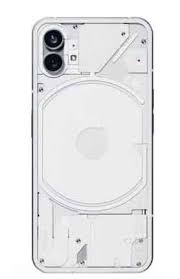
Nothing Phone 1 20111V Flash File (Stock ROM) TESTED

DOWNLOAD Nothing Phone 1 20111V FLASH FILE:

Nothing Phone 1 20111V [Nothing OS 3.2] Unbrick Firmware & Frp Reset File June 2025

Nothing Phone 1 20111V [Nothing OS 3.2] Unbrick Firmware & Frp Reset File

You’re asking about the Nothing Phone (1) 20111V flash file (stock ROM)—a firmware package for the Snapdragon 778G+ device. Here’s what I found:


📦 Available Firmware Files

The build 20111U (same family as 20111V) is available via sources like ROMexperts and GSMmafia. ROMexperts lists:

  • 20111U_release_user_20240612_214905
  • 20240419_161715
  • 20231110_173157
    These are based on Nothing OS releases and intended to unbrick, remove FRP or fix boot issues. (

GsmMafia confirms 20111U_release_user_ntpi_20240419_161715 as well.

⚠️ Be cautious: these sources often offer downloads with paid access (via WhatsApp), so verify legitimacy.


✅ How to Flash Stock ROM (Tested Methods)

1. Fastboot Flash using tools

Download firmware images and use fastboot commands:

fastboot flash boot boot.img
fastboot flash vendor_boot vendor_boot.img
# Optionally vbmeta updates or use full flashing script

For full firmware flashes you may use scripts like Spacewar Fastboot Flasher to flash across slots and disable AVB. Tutorials on DroidWin or XDA detail this process.

2. Offline OTA via dialer

If you have a full OTA ZIP (e.g., from GitHub archives or ROM zip packages), place it inside an ota folder at root storage and dial:

*#*#682#*#*

Then select Apply OTA. No bootloader unlocking needed. Works well for stock installs.

3. Recovery sideload / ADB sideload

If your bootloader is unlocked and you’re in recovery mode, you can sideload a full OTA .zip and optionally perform a factory reset after.


🧠 Firmware Archive (All OTA Packages)

Several Reddit users and GitHub projects maintain Spacewar Archive with official full OTA packages and stock images:

  • GitHub repos like LukeSkyD/Spacewar_Archive and spike0en/Spacewar_Archive host full OTA zips and image sets (.7z) of boot, firmware, logical partitions.

This archive is highly reliable if you need full OTA or partition-based flashing.


⚠️ Community Experiences & Caveats

  • Many users on Reddit reported update issues like “installation problem,” often resolved by manually flashing a full OTA .zip via dialer or recovery. Some even had to factory reset or visit a service centre.
  • Nothing OS 3.0 (Android 15) stable release rolled out in December 2024. Some experienced Wi-Fi or boot issues.

🔍 For Build 20111V

  • I didn’t locate a specific “20111V” label—but very likely the U, T, and V variants share compatible firmware for flashing.
  • That means using the 20111U firmware from April or June 2024 builds (e.g. 20240612 or 20240419) should work—users often flash U variant files to similar variants.

🧾 Summary Table

Build VariantOTA / ZIP SourceFlashing MethodNotes
20111U (latest)ROMexperts / GsmMafia (2024‑06, 2024‑04)Fastboot / Flash ToolPaid download, widely shared
20111U OTAGitHub Spacewar Archive (full OTA zips, verified)Dialer / ADB sideloadFree, verified, supports offline update
20111V (target)Use compatible 20111U filesFastboot or OTAGenerally works across variant types

✅ What’s Recommended for You

  1. Prefer official ZIP packages from GitHub archives (LukeSkyD or spike0en). These are freely available and trusted.
  2. If you’d rather use the ROMexperts or GsmMafia versions (which mention 20111U), make sure tools are trustworthy and backup your data.
  3. Choose your method:
    • If bootloader is locked: use ota folder + dialer approach.
    • If bootloader unlocked: fastboot flashing or custom recovery / sideload works.
  4. Always backup data, charge battery >70%, and install proper USB/EDL drivers.

❓Need Help with Steps?

Let me know if you want:

  • A direct link or hash check for a specific OTA build.
  • A step‑by‑step fastboot script to flash.
  • Guidance for the dialer sideload process or tool setup.

Happy to help you unbrick or restore your Nothing Phone (1)!

NOTHING PHONE 2 22111V FLASH FILE( STOK ROM)

DOWNLOAD NOTHING PHONE 2 22111V FLASH FILE :

Nothing Phone 2 22111V [Nothing OS 3.0] Unbrick Firmware & Frp Reset File May 2025

Nothing Phone 2 22111V [Nothing OS 3.0] Unbrick Firmware & Frp Reset File

You’re looking for the 22111V flash file (firmware) for the Nothing Phone 2 (model 22111V). Here’s what I found:


🔍 Available Flash Firmware Versions

One source lists multiple versions for the Nothing Phone 2 22111 series:

  • 22111V_release_user_20241207_012413 (Nothing OS 3.0)
  • 22111U_release_user_20240628_043001
  • 22111U_release_user_20240419_013855
  • 22111_release_user_20230801_174003

So if you’re specifically using model 22111V, the December 7, 2024 build labeled 22111V_release_user_20241207_012413 (OS 3.0) is the relevant firmware .


📥 Sources Sharing the 22111V Package

Other reputable firmware sites also host firmware for Nothing Phone 2 including guides and flash tools:

  • Mobifirmware.com provides a 22111_release_user_ntpi_20230709_200311 package along with the Flash Tool and drivers .
  • Flash‑file.net, Firmwarebd.com, and AndroidGreek.com offer official or stock ROM packages tailored for Nothing Phone 2, often bundled with the Flash Tool and USB driver

🛠️ Flashing Tools & Guide

To safely flash the firmware:

  • Use Nothing Flash Tool v2.12.0.0 (or v2.12.02) which explicitly supports the 22111V model .
  • General flashing steps:
    1. Download and extract the firmware package.
    2. Install USB drivers included.
    3. Run the Flash Tool and load the firmware folder.
    4. Connect your powered-off phone in EDL mode (hold Volume Up + Down).
    5. Let the tool detect the Qualcomm port and begin flashing.
    6. Wait until success message appears, then rebooT.

ℹ️ Additional Resources

  • The Pong Archive on GitHub offers Full OTA packages and image files, which can be sideloaded via the stock OTA updater tool (dial *#*#682#*#*) without unlocking bootloader
  • There’s also a firmware flasher script for advanced users from GitHub, useful if you’re flashing custom ROMs or recovery-based installations .

✅ Summary Table

ItemDescription
Firmware for 22111V22111V_release_user_20241207_012413 (OS 3.0) from ROMexperts
Flash ToolNothing Flash Tool v2.12.x (supports 22111V)
Alternate SourcesMobifirmware, Flash‑file.net, Firmwarebd, AndroidGreek
Custom Install OptionsGitHub archives and scripts for offline OTA sideload or custom recovery installs

🧠 Pro Tips Before Flashing

  • Backup your device, as flashing will erase all data.
  • Ensure at least 50% battery to prevent power loss mid-flash.
  • Use the correct firmware for your exact model (22111V)—using 22111U or others may cause failure.
  • If your bootloader is locked, use the OTA sideload method via the secured update tool instead.
  • Follow official or community guides carefully to avoid issues like “SW REV. CHECK FAIL” errors (common from bootloader mismatches).

Would you like direct download links, the full flashing guide, or instructions for manual OTA sideloading (non-unlocking method)? Let me know how you’d like to proceed!

OnePlus 11R 5G PHK110 FLASH FILE (STOK ROM)

DOWNLOAD OnePlus 11R 5G PHK110 FLASH FILE:

Here are some verified sources and step-by-step instructions to flash the PHK110 variant of the OnePlus 11R (Ace 2) and its global CPH2487 sibling.


🇨🇳 China Variant – PHK110

HalabTech hosts multiple ColorOS stock firmware files for PHK110, including Android 14 and 13 builds (all ~7 GB each):

  • PHK110_14.0.0.81 SP01CN01
  • PHK110_14.0.0.53 C.12, etc.

🌍 Global Variant – CPH2487

From GsmMafia (as of July 19, 2025): comprehensive CPH2487 OxygenOS flash files based on Android 13/14:

  • Latest: CPH2487export_11_15.0.0.400EX01_2025010409590101
  • Android 14: .810EX01, .A.14, etc.

Note: These are often locked behind premium access through chat/payment.

From PhoneUnbrick.com:

  • China build: PHK110domestic_11_14.0.0.700
  • Global build: CPH2487export_11_A.10_20230327…

How to Flash (General Guide)

  1. Download the correct flash file for your device (PHK110 = China ROM, CPH2487 = Global ROM).
  2. Install Qualcomm USB drivers so your phone shows up as QDLoader 9008 in Device Manager.
  3. Extract & launch the MSM Download Tool (or OplusFlashTool).
  4. Boot device into EDL mode by powering off and holding Volume Up + Down while connecting via USB.
  5. In the tool, load the ROM package and hit Start. Wait for the flashing process to complete.
  6. When finished, reboot your phone—it should be restored to factory stock.

Risks & Tips ⚠️

  • Flashing firmware requires EDL (9008) mode and proper drivers—get that working first.
  • Make sure to use the correct build for your variant. PHK110 ROM on a PHK110 phone, CPH2487 ROM on CPH2487 phone.
  • Flashing older or mismatched firmware may brick your device—double-check the build number.
  • Flashing will likely wipe all data, so be sure to backup first.
  • These ROMs come from mirror sites—use anti-virus, and verify file integrity when possible.
  • For additional support, XDA forums and Reddit are helpful communities.

🧰 Additional Resources

  • XDA has a “Stock Firmware + OTA Collection” thread listing PHK110 domestic and export builds, with links to OFP/EDL packages and fastboot tools.
  • PhoneUnbrick’s guide provides detailed EDL/EDL mode instructions for unbricking PHK110/CPH2487.

Summary Table

VariantROM Builds AvailableNotes
PHK110ColorOS 13/14 (~7 GB)China-specific ROM via HalabTech
CPH2487OxygenOS 13–15 (premium access)Global ROM via GsmMafia & PhoneUnbrick

Next Steps:

  • Confirm your exact model (PHK110 vs CPH2487) in Settings → About Phone.
  • Choose the corresponding flash file from the sources above.
  • Carefully follow the EDL flashing steps with the MSM tool.

Let me know which variant you have or if you’d like help handling drivers, tool download links, or booting into EDL mode!

OnePlus 11 5G PHB110 FLASH FILE (STOK ROM) TESTED

FOR DOWNLOAD OnePlus 11 5G PHB110 FLASH FILE :

PHB110domestic_11_15.0.0.700CN01_2025032023130000
Phone Name = OnePlus 11 5G
Project No = 22811

Here’s a comprehensive overview of the OnePlus 11 (PHB110) flash files and how to use them:


📥 Flash Files for PHB110 (China Model)

  • Latest full ROM (Stock/EDL, Android 15)
    • PHB110domestic_11_15.0.0.700CN01_2025032023130000 — available from GSMMafia as of July 7, 2025 .
  • Other flashable versions
    • A.14, A.13, A.10, A.09, A.08 builds (ColorOS or OxygenOS based) .
  • Step-by-step unpacked options from Flash‑File.net
    • A.05, A.08, A.09 (OTA packages ~6 GB), and A.10/8 (QPST 8 GB+ packages).

🔧 Flash Tools & Drivers

  • OplusFlashTool v5.6.44 recommended for EDL/Qualcomm flash via MSM tool (login needed) .
  • QPST Download Tool also compatible (requires Oppo account) .
  • Qualcomm QDLoader 9008 & OnePlus USB/Fastboot drivers required.

🧭 Flashing Overview

  1. Choose appropriate ROM – latest full EDL firmware (e.g., A.15) or OTA update packages.
  2. Install drivers – Qualcomm QDLoader and OnePlus USB drivers.
  3. Launch tool – open OplusFlashTool or QPST, log in.
  4. Connect phone – power off → hold Volume Up + Volume Down + USB to enter EDL (9008 mode).
  5. Load firmware in tool, tap Start to flash.
  6. Reboot phone once completed.

For OTA-style packages, copy update.zip to phone storage and flash via stock recovery mode (from Flash‑File.net) .
Troubleshooting and region-specific methods (China vs Global) detailed in PhoneUnbrick and ncunlock guides .


⚠️ Important Notes

  • Flashing carries risk—backup your data and ensure 50–80% battery.
  • Tools like OplusFlashTool and QPST often require login credentials.
  • Choose firmware carefully: PHB110 for Chinese sets; others (CPH2447/49/51) apply to Global/India/EU/NA models.
  • Follow tool & driver installation instructions exactly to avoid connection errors.

✅ TL;DR: What You Should Do

  • Download (e.g., PHB110…15.0.0.700CN01_20250320‑via GSMMafia).
  • Install Qualcomm + OnePlus USB drivers.
  • Launch OplusFlashTool or QPST.
  • Enter EDL mode (Vol Up + Vol Down + USB).
  • Flash, then reboot.

Let me know if you need direct mirror links, troubleshooting help, or guidance to convert PHB110 to a Global ROM (e.g., using CPH2449 EDL followed by local install)

OnePlus Nord 3 5G CPH 2491 Flash File (Stock ROM)

OnePlus Nord 3 5G CPH2491,  CPH2493  Oxygen OS 13 Firmware Flash File here for download via direct link FROM MS MOBILE. China, Global and India firmware available here for unbrick, flash, downgrade, upgrade and unlock the device screenlock FRP, Pattern. Backup your personal data before flashing and unlocking the device with OPlus Flash tool.

Download OnePlus Nord 3 5G CPH2491 Flash File Firmware:

Here are several official & tested flash file builds available for the OnePlus Nord 3 5G (CPH2491):


✅ Available Stock ROM / Flash Builds

BuildDescription
CPH2491export_11_14.0.0.530EX01_20240730Latest OxygenOS 14.0 stable, July 30 2024 release
CPH2491export_11_14.0.0.500EX01_20240220OxygenOS 14.0 February 20 2024 release
CPH2491export_11_13.1.0.581EX01_20230908OxygenOS 13.1 from September 8 2023
CPH2491export_11_A.11_20230731July 31 2023 hotfix (13.1)
CPH2491export_11_A.06_20230512May 12 2023 build

These are the files frequently listed on reliable firmware repositories like Mobifirmware, GSMMafia, ROMexperts & FirmwareBD .


⚠️ Important Notes & Cautions

  • Always use the correct variant (“export” for Global/India). Mismatching CPH codes may lead to boot loops.
  • Keep at least 50% battery before flashing.
  • A verification failure often means the build is incompatible or you need the corresponding updater APK (especially for EU/Global models) .
  • Flashing is at your own risk—incorrect procedures can brick your device.
  • You’ll revert to stock OxygenOS and lose root/custom ROMs.
  • After flashing, re-locking your bootloader is recommended for security and OTA updates.

📥 Getting the Files

You should be able to download the above packages from the following sources:

  • Mobifirmware: Offers CPH2491export_11_13.1.0.581EX01, .561, .581, etc.
  • GSMMafia: Lists downloadable packages including .581, .561, A.09, A.06
  • ROMexperts: Features newer 14.0.0.530 & 14.0.0.500 builds

Visit one of these pages, find the build you want, download the zip, extract it, and follow the flashing steps above.


🧭 Quick Recommendations

  • To restore your phone to a recent stable version, go with 14.0.0.530 (July 2024).
  • For a tried-and-tested older build, the 13.1.0.581 (Sept 2023) is reliable and widely used.
  • If troubleshooting flashing issues, ensure you’re using full packages and the correct regional variant.

📚 Want More Information?

I can provide direct links to specific builds, flashing guides (with screenshots), recommended driver files, or walk you through using Oxygen Updater and proper local installation methods. Just let me know what you need!

Nothing Phone 2a Flash File (Stock ROM) TESTED

Download  Nothing Phone 2a 23111 Mediatek Dimensity 7200 Pro Flash File From MS MOBILE. This file is based on  Nothing OS and used for flash and unlock your device fix pattern lock, FRP and other problems like hang on logo, brick after software update or in any experiment, fix hanging issue and other software related issues.

Download Nothing Phone 2a 23111 Flash File Firmware:

Nothing Phone 2a [Nothing OS 3.2] Unbick Firmware & Frp Reset File June 2025 Sec Patch

Here are reliable sources and methods to obtain and flash the stock firmware (flash file) for your Nothing Phone (2a):


📥 Official & Trusted Flash File Sources

1. ROMexperts – Nothing Phone 2a 23111 Stock Flash File

Provides official Nothing OS 3.0 firmware builds (builds from December 2024, July 2024, etc.). Includes flash tool and drivers. Often requires paid password/service access via WhatsApp .

2. GSMMafia / GSMMafias – Unbrick Firmware (V2.6.0 July 2024 Patch)

Includes V2.6.0 unbrick firmware useful for removing locks, resolving boot loops. Offers guides and USB drivers .

3. GsmMafia.com – 23111 Flash File (April 2024 build)

Similar firmware package with instructions and drivers—may require paid password

4. Realimagess – Official Stock ROM (March 2024 OTA)

Large 3.5 GB package (update.zip) combined with flash tool and drivers.

5. XDA Forums – “Nothing Archive”

An updated repository of OTA images and full firmware packages, plus recommended flash utilities and scripts .


🛠️ Flashing Methods

A. Offline OTA (Apply via ##682##)

  1. Download the correct OTA zip for your device.
  2. Create an /ota folder in internal storage.
  3. Copy the OTA file without unzipping.
  4. Dial *#*#682#*#*, select the OTA, and “Directly apply OTA” (.

Community reports (e.g., Reddit) confirm this works reliably .

B. SP Flash Tool (for MediaTek)

  • Extract ROM and flash using SP Flash Tool on PC.
  • Install USB/VCOM drivers.
  • Boot device into Download Mode (usually Volume Down + Power).
  • Load scatter file and flash full firmware.

C. Fastboot Flasher Scripts (XDA / GitHub)

  • Use script (flash_all.bat or flash_all.sh) from nothing‑Pacman’s flashtool.
  • Requires extracting payload.bin images and booting into fastboot mode.
  • Flashes partitions properly across both slots.

🔑 Essential Pre‑Flashing Steps

  • Backup your data – flashing erases internal storage
  • Install necessary USB, VCOM, ADB/Fastboot drivers.
  • Confirm your correct build version (e.g., 23111, 2.6, etc.) to match firmware.
  • Beware of paid/WhatsApp-only access; verify authenticity before paying.

✅ Which Method Should You Use?

ScenarioRecommended Method
Want easy update/unbrick without PCOffline OTA via special dialer
Prefer PC flash with scatter fileSP Flash Tool
Running custom ROM or need clean fastboot flashPacman Fastboot Flasher

🔧 Step-by-Step: Offline OTA Method

  1. Find the latest official OTA zip for “Phone (2a)” (e.g. from Nothing Archive).
  2. Place the zip in an /ota folder on internal storage.
  3. Dial *#*#682#*#* → select the file → tap Directly apply OTA.
  4. Let the phone reboot—no PC needed

🔗 Useful Links & Resources

  • XDA Nothing Archive with OTA and full firmware
  • XDA nothing‑Pacman flashtool (Fastboot)
  • Guides for SP Flash Tool method and drivers from ROMexperts, Realimagess, GSMMafia, etc.

⚠️ A Final Note

Flashing firmware carries risks: data loss, device bricking, warranty void. Proceed carefully. If unsure, follow a step‑by‑step XDA tutorial matching your firmware version.

Need direct links to any of the OTA zips or step-by-step help for a specific build? Just let me know the build number you have or want—and I’ll guide you through!

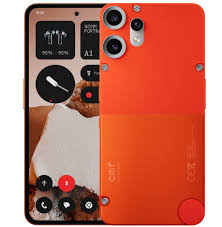
CMF Phone 2 Pro 24121 Flash File (Stock ROM) TESTED

CMF Phone 2 Pro Flash File

Download  CMF Phone 2 Pro 24121 Mediatek Dimensity 7300 Pro Flash File From MS MOBILE. This file is based on  Nothing OS and used for flash and unlock your device fix pattern lock, FRP and other problems like hang on logo, brick after software update or in any experiment, fix hanging issue and other software related issues.

Download CMF Phone 2 Pro 24121 Flash File Firmware:

CMF_Phone_2_Pro_24121_[Nothing_OS_3.2]_Unbrick_Firmware_&_Frp_Reset_File_June_2025

I found a couple of sources for the CMF Phone 2 Pro flash file/stock firmware:


🛠️ 1. ROMProvider.com

They offer a “latest official stock firmware” package intended for unbricking (e.g., logo hang, FRP lock, dead recovery, etc.). It includes both a “Galaga_V3.2-250507-1139-Full-OTA” and a “Galaga_unbrick_Tool_OS_3.0_NFT” tool. Instructions cover flashing via BROM or fastboot mode.


2. OKFile.in

This site provides a “Nothing CMF 2 Pro Flash File (Stock Rom)” with support for FRP removal, recovery restore, and auto-recovery. However, it mentions that the download is password‑protected and requires contacting the provider (phone number provided) .


⚠️ Flashing & Security Warnings

  • Flash at your own risk. Both sources include disclaimers.
  • Stock firmware is essential for resolving brick issues, boot loops, FRP locks, and downgrades.
  • You’ll need Qualcomm/Medi
    atek drivers installed on your PC, and appropriate tools (BROM, fastboot) depending on the method.
  • Always backup important data first, and ensure your battery is adequately charged (>50%).

✅ Next Steps

  1. Choose a source
    • ROMProvider offers a straightforward OTA package with unbrick tools.
    • OKFile requires contacting the uploader for access.
  2. Prepare your PC
    • Install necessary USB drivers (MTK/Qualcomm).
    • Download and extract the package.
  3. Follow the flashing method suited to the tool:
    • BROM Mode: Use the unbrick tool included.
    • Fastboot Mode: Flash payload.bin using a fastboot tool.
  4. Reboot your device and confirm it’s restored.

If you’d like step-by-step instructions for either BROM or fastboot flashing, just let me know!

Nothing Phone 1 20111U Flash File (Stock ROM) TESTED

Download  Nothing Phone 1 20111U Qualcomm SM7325-AE Snapdragon 778G+ 5G Flash File From MS MOBILE. This file is based on

 Nothing OS and used for flash and unlock your device fix pattern lock, FRP and other problems like hang on logo, brick after software update or in any experiment, fix hanging issue and other software related issues.

Download Nothing Phone 1 20111U Flash File Firmware:

20111U_release_user_ntpi_20240419_161715

If you’re looking for the official “Stock ROM” or flash file (firmware) for the Nothing Phone 1, there are two reliable paths you can take:


🔧 1. Official Stock OTA & Full Firmware Archives

The GitHub Spacewar_Archive by LukeSkyD offers full OTA packages and stock image partitions (boot, vendor, firmware, etc.) for every Nothing Phone 1 release. It’s well-maintained and ideal if you want to flash via fastboot or QFIL yourself while preserving the authentic update sequence .

Reddit users also point out several mirrors of the archive on archive.org, which are great resources:


🛠 2. Direct Flash Files + Tools (Unofficial Sites)

Several sites host downloadable flash files in formats like QFIL/QPST or .zip OTAs:

  • ROMexperts: Offers Nothing Phone 1 20111 flash file bundles (20111U, T) with QFIL/MTK tool and drivers.
  • GSMOfficialTeam and GsmMafia: Provide versioned flash files (e.g., 20111U_release_user_ntpi_20240419_161715) with step-by-step flashing guides .
  • Flash‑File.net (and others): Host OTA zips and QPST/CMD packages (versions v1.0.2 through v1.5.3) with download links and flash instructions .

⚙️ Steps to Flash via Spacewar Archive

  1. Choose a firmware version from the Spacewar_Archive (e.g., v2.5.6 or earlier).
  2. Download the Full OTA package or partition images (.7z).
  3. Follow one of two methods:
    • Manual OTA update (bootloader locked): Copy *-FullOTA.zip to /ota folder → dial *#*#682#*#* → apply.
    • Fastboot (unlocked bootloader): Extract images and use fastboot update, optionally with --disable-verity --disable-verification for vbmeta .

🛑 Warning & Best Practices

  • Always back up user data.
  • Use the latest firmware versions to avoid bricking.
  • For hard-bricked devices in Qualcomm EDL mode, use QFIL or QPST with the complete flash package .
  • Exercise caution with unofficial files and tools—verify checksum integrity and source legitimacy.
  • Ensure drivers and tools (Nothing Flash Tool v2.12+, Qualcomm QFIL tool) are properly installed .

✅ TL;DR

  • Garage-level fix / full DIY: Use Spacewar_Archive (official package, manual or fastboot flash).
  • Quick repair: Grab a flash file from ROMexperts/GSMOfficialTeam + tools—they include QFIL or QPST methods.
  • Bricked in EDL: Use Qualcomm flashing tools with a supported package.

Let me know which method you’d like to follow—I can walk you through the exact flashing steps!

Nothing Phone 2 22111U Flash File (Stock ROM) TESTED

Download  Nothing Phone 2 22111U Qualcomm SM8475 Snapdragon 8+ Gen 1 Flash File From MS MOBILE. This file is based on

 Nothing OS and used for flash and unlock your device fix pattern lock, FRP and other problems like hang on logo, brick after software update or in any experiment, fix hanging issue and other software related issues .

Download Nothing Phone 2 22111U Flash File Firmware:

Here’s where you can get the Nothing Phone 2 stock ROM/flash file and how to safely flash it:


📥 Where to Download the Flash File

SourceDetails
GsmMafia – NOTHING Phone 2 22111U Qualcomm Snapdragon 8+ Gen 1Includes flash file version 20240419_013855 (EDL mode, paid password via WhatsApp)
ROMexperts – Multiple build variantsOffers more versions:
22111V_release_user_20241207_012413 (Nothing OS 3.0)• Two 22111U builds (20240628_043001 & 20240419_013855)• Original 22111_release_user_20230801_174003
GitHub Pong_Archive – OTA & full imagesDownload official images for fastboot flashing or sideload with nothing offline OTA tool
Flash‑file.net / Realimagess.com – “230709_2.0.1_OTA” updateZip ~2.74 GB; for stock recovery sideloading
ROMProvider.com – OTA and full filesMultiple versions (V2.5.3, V2.5.1a, V2.0.1…) with QFIL/E DL flashing instructions

🔧 Flashing Methods

1. EDL Mode (Qualcomm)

  • Use QFIL (Qualcomm Flash Image Loader).
  • Ideal for unbricking or bypassing FRP.
  • Tutorial: ROMProvider outlines steps (boot to EDL, QFIL settings, “Download”) .

2. Fastboot + Pong_Fastboot_Flasher

  • Grab full image packages (boot, firmware, logical) from Pong_Archive .
  • Use the Pong_Fastboot_Flasher script to flash partitions across both slots (A/B) .

3. Stock Recovery OTA Sideload

  • Copy update.zip to /ota folder.
  • Dial *#*#682#*#* to launch the updater and apply it .
  • Useful for rooted users (see Magisk tips).

🚨 Pre‑Flashing Checklist

  1. Back up all data—it will be wiped by EDL or Fastboot methods.
  2. Tools to install on your PC:
    • Qualcomm USB drivers & QFIL (for EDL).
    • ADB & Fastboot (for fastboot method).
    • Pong_Fastboot_Flasher script (available on GitHub from spike0en).
  3. Charge your phone to at least 70%.
  4. Decide your method:
    • EDL: Unbrick, bypass locks, full restore
    • Fastboot: Partition-level control
    • OTA sideload: Clean update without unlocking bootloader

🛠️ Sample Workflow: Fastboot Method

  1. Download the .7z files from Pong_Archive (boot, firmware, logical).
  2. Extract all and place the Pong fastboot script in the same folder.
  3. Boot your phone into fastboot (adb reboot bootloader).
  4. Run the script and answer prompts (yes to all, including both slots).
  5. When done, issue fastboot -w to wipe userdata.
  6. Reboot with fastboot reboot .

🔄 Rooted or Using Custom Recovery?

  • Restore stock recovery first (A & B slots) before OTA.
  • Use Magisk Bootloop Protection module (especially pre‑Android 15) .

🧾 Summary & Recommendations

  • Simplest: OTA update.zip via /ota folder → stock recovery update
  • More powerful: Fastboot + Pong script → full partition flash
  • Unbrick/locked: EDL + QFIL → complete device recovery

Let me know which version (e.g. 22111U, 22111V) you’re after and which flashing method you prefer—I can share direct links or guide you step-by-step!

CMF Phone 1 23114 Flash File (Stock ROM) FREE 100% Tested

Download  CMF Phone 1 23114 Mediatek Dimensity 7300 Flash File From MS MOBILE. This file is based on  Nothing OS and used for flash and unlock your device fix pattern lock, FRP and other problems like hang on logo, brick after software update or in any experiment, fix hanging issue and other software related issues.

Download CMF Phone 1 23114 Flash File Firmware:

CMF Phone 1_Nothing OS-4.0_Official_Firmware_&_Frp+Pin+Pattern_Remove_File_20251216.rar
Date: 21-01-2026  | Size: 5.37 GB

CMF_Phone_1_23114V_[Nothing_OS_3.2]_Unbrick_Firmware_&_Frp_Reset_File_June_2025_Sec_Patch
Date: 02-07-2025  | Size: 4.85 GB

Here are reliable sources and steps to obtain and flash the official stock firmware (flash files) for the CMF Phone 1:


🔍 Trusted Download Sources

  1. GitHub “nothing_archive”
    This repo maintains official OTA, boot, and fastboot firmware for CMF Phone 1:
    • Android 15 (3.0 open beta) & Android 14 builds
    • Includes Fastboot and boot images
  2. FirmwareFile.com
    Offers two recent full firmware packages:
    • V2.6.0 (2024‑07‑02), ~4.41 GB
    • OS 3.0 (2025‑01‑11), ~4.68 GB
      Both include Flash Tool, USB drivers, and installation manual
  3. NeedROM.com
    Provides Android 14 stock ROM v2.6.0 and newer v3.0 (2025‑01‑11) – includes Nothing Flash Tool guide

🛠 Flashing Steps Overview

Here’s a general workflow based on community and official guidelines:

  1. Download the desired firmware ZIP (e.g., CMF_Phone_1_OS_3.0_20250111.zip).
  2. Extract the package; you’ll get:
    • Stock firmware images
    • Nothing Flash Tool
    • USB drivers + flash manual
  3. Install the USB drivers on your PC.
  4. Launch the Nothing Flash Tool.
  5. Follow the included manual—steps typically involve:
    • Booting CMF Phone 1 into fastboot or flash mode
    • Connecting via USB
    • Flashing partitions using the tool
    Community threads confirm that fastboot files and scripts (like from spike0en) are available via GitHub .

🌟 Quick Recommendations

  • For the newest firmware, go with the OS 3.0 build from January 11, 2025 (~4.68 GB).
  • For stability, consider the V2.6.0 build (July 2, 2024).
  • Always backup your data, as flashing typically erases all user data.
  • Scan downloaded files with antivirus software as a precaution.

📌 Summary Table

SourceVersion & DateSizeIncludes
nothing_archive (GitHub)Android 15/14 buildsN/AOTA, Fastboot, Boot images
FirmwareFile.comV2.6.0 (07/02/2024) & 3.0 (01/11/2025)~4.4–4.7 GBFull firmware package
NeedROM.comAndroid 14 v2.6.0 & 3.0 (01/11/2025)N/AStock ROM + Nothing Flash Tool guide

✅ Next Steps

  1. Choose your preferred build (stability vs latest).
  2. Download and extract the ZIP.
  3. Install drivers and open the Flash Tool.
  4. Follow the guide to flash via fastboot.
  5. Reboot and enjoy a fresh, working firmware setup.

If you’d like direct links to the downloads, instructions for entering flash mode on CMF Phone 1, or help with specific errors during flashing, just let me know!